This page is extremely WIP. If you have a kiosk or know of additional hardware variants, please contribute.
Kiosk Models
Any kiosk with a secondary sticker with an R at the end of the serial number means they were re-manufactured. Most of the time, they will have a primary sticker stating the original manufacture date for the kiosk itself above it. They would usually contain a slip of what was done to get the kiosk back out in the market, but most have been removed from the kiosks or have fallen off.
{.is-info}
Indoor
Model: DVD-IN
Part Number: Indoor_Kiosk
Has variants with outdoor screen for use in bright entryways
Indoor (Blue Variant)
Model: DVD-IN
Part Number: Indoor_KioskWB
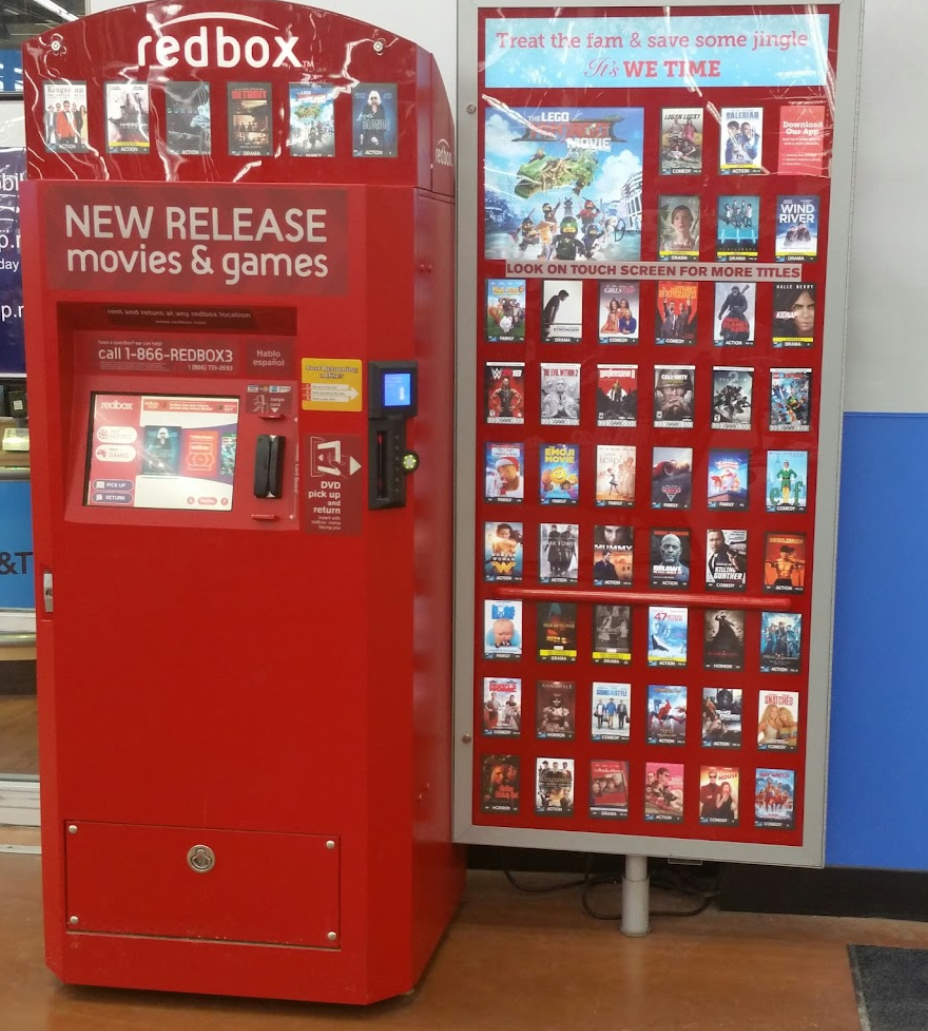
Made for Walmart per agreement with Redbox.
Indoor (17" Screen)
Model: DVD-IN
Part Number: Indoor_Kiosk17
Manufactured in 2011+ (unconfirmed) with a 17" screen
Outdoor
Model: DVD-OT
Part Number: Outdoor_Kiosk
Heating/Cooling unit
IceQube IQ2200VS and control panel
Known to cause fires in models before 2012, should be removed or unplugged before use. Replacing the fan motors will resolve said recalls
Stego CR027 Heater
Plenty reliable according to employees
Outdoor (High Wind Variant)
Not much is known about these units other than they are installed near bad weather areas. Still needs more documentation.
{.is-warning}
Model: DVD-OT
Part Number: Outdoor_Kiosk_HW
Heating/Cooling unit
IceQube IQ2200VS and control panel
Known to cause fires in models before 2012, should be removed or unplugged before use. Replacing the fan motors will resolve said recalls
Stego CR027 Heater
Plenty reliable according to employees
Outdoor (17" Screen)
Model: DVD-OT
Part Number: Outdoor_Kiosk17
Heating/Cooling unit
IceQube IQ2200VS and control panel
Known to cause fires in models before 2012, should be removed or unplugged before use. Replacing the fan motors will resolve said recalls
IceQube IQ990FFS and control panel (Showed up around 2012)
No fires reported or known. Best to use with caution
Stego CR027 Heater
Outdoor (17" Screen Canadian) May 2012 - March 2015
Model: DVD-OT
Part Number: Outdoor_Kiosk17CN
Heating/Cooling unit
IceQube IQ2200VS and control panel
Known to cause fires in models before 2012, should be removed or unplugged before use. Replacing the fan motors will resolve said recalls
IceQube IQ990FFS and control panel (Showed up around 2012)
No fires reported or known. Best to use with caution
Stego CR027 Heater
CN units were designed for Canadian market. The remaining estimate of 1,500 kiosks were moved to the United States in March of 2015 after Redbox shut down their Canadian division in Mid February of 2015 to be refurbished and placed at retailers in the United States.
If the rust is flaking or chipping away, the affected metal sections will need to be replaced before painting the kiosk.
{.is-warning}
The paint officially used by Redbox to refurbish kiosks is "B66R11038 DTM Acrylic Gloss Color Safety Red" which can generally be found most places that stock paint. It's recommended to remove any rust via sanding and paint over it with "B66A50 DTM Bonding Primer" before using the red paint.
Computers
Dell
Optiplex 380 (2010)
Unknown HDD
Unknown RAM
Unknown CPU (Intel Core 2 Duo)
Optiplex 390 (2011)
MoBo: DELL PB0520
250GB HDD Seagate Barracuda ST520DM000
1x 2GB Nanya DDR3-1333
Unknown CPU (2nd gen Intel)
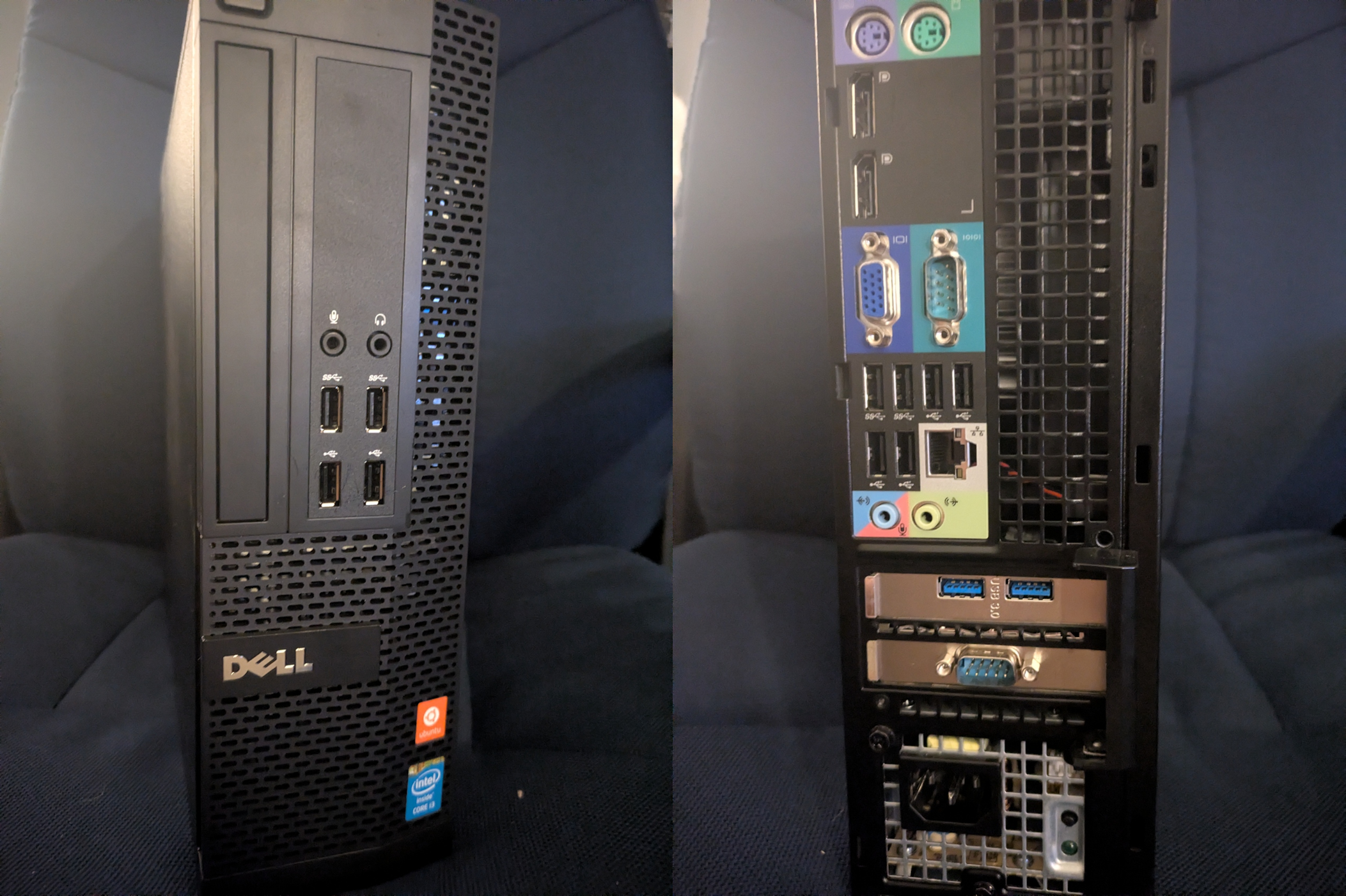
Optiplex XE2 (2013)
500GB Seagate or Toshiba HDD
4GB DDR3
Intel Core i3-4330 @ 3.50GHz
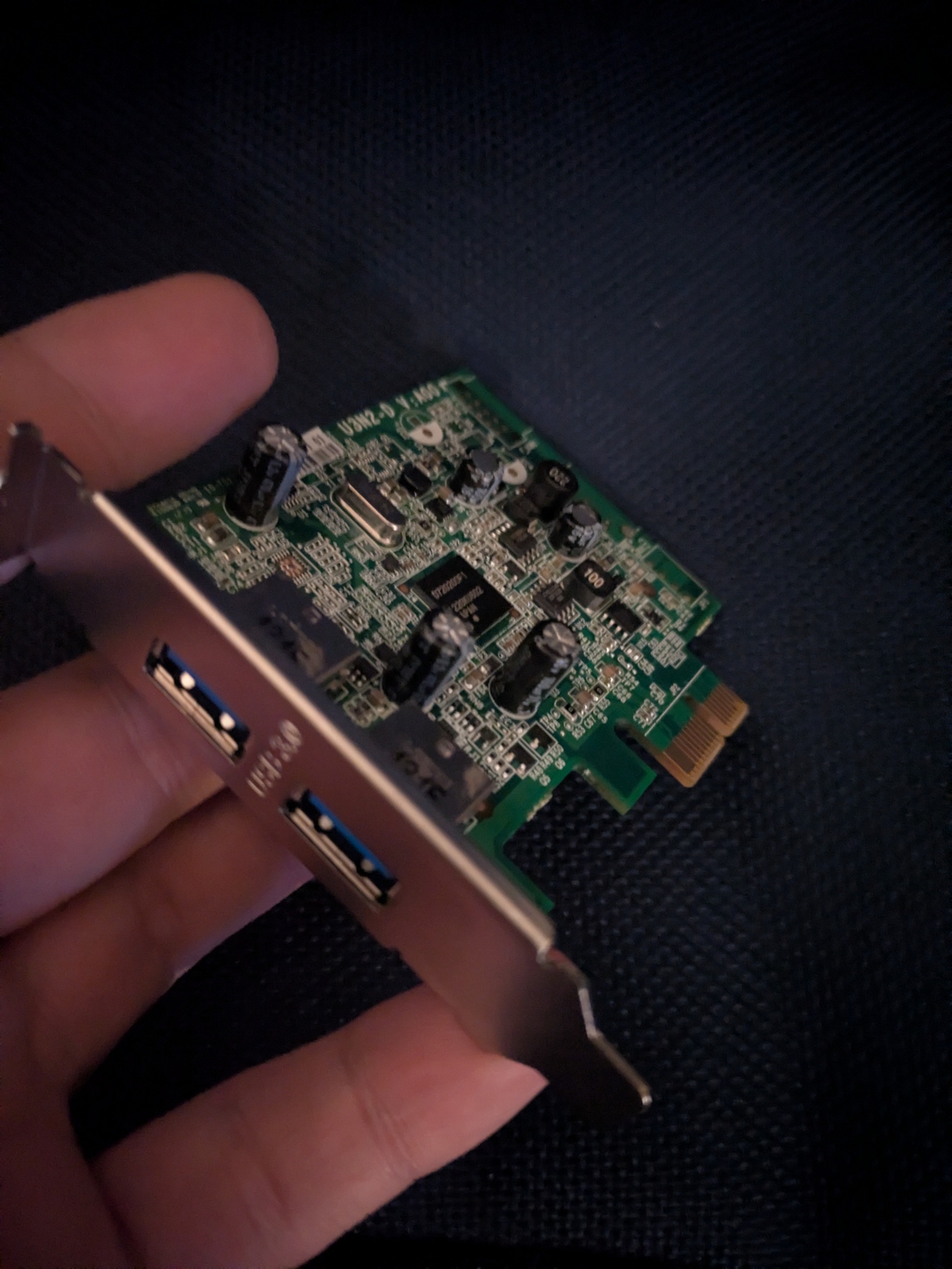
Dell ECS U3N2-D 2-Port USB 3.0 Expansion Card
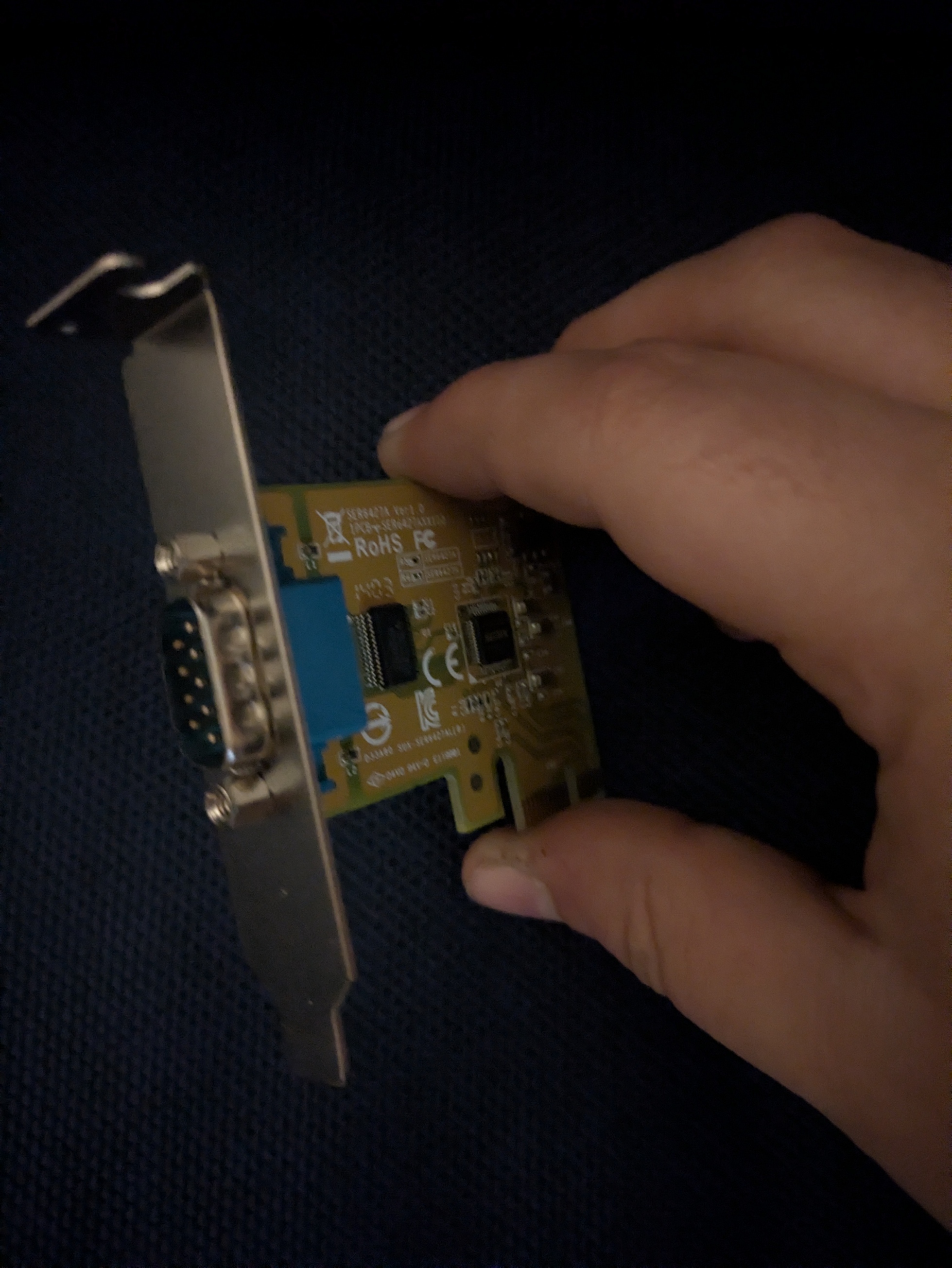
Sunix SER6427A RS-232 PCI Express Board
Lenovo
ThinkCentre M91p USFF (2011)
Intel Pentium G630 @ 2.7GHz
2GB DDR3
250GB HDD Western Digital Blue Model: WD2500AAKX
ThinkCentre M58p USFF (2010)
Intel Pentium E5400 @ 2.7GHz
2GB DDR3
250GB HDD Western Digital Blue Model: WD2500AAKX
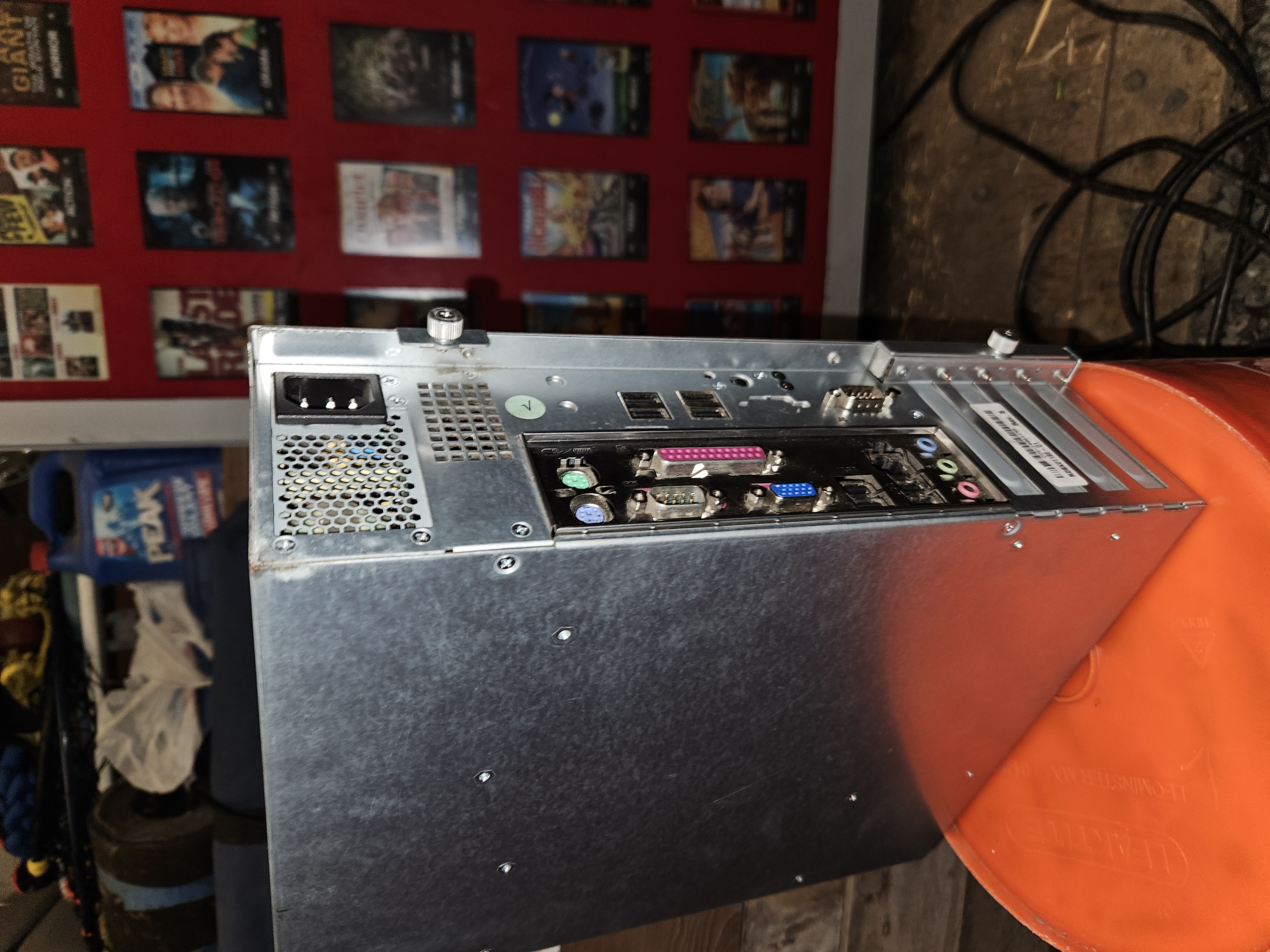
Premio
M2H6V1
PN: RDBX01186-01 Rev B
MoBo: MSI H61M-P32/W8
500GB HDD Western Digital Black Model: WD5000BPKX
4GB DDR3 RAM
Intel i3 3220 @ 3.30GHz
Windows 7 Embedded SP1
BIOS Version: E7788IZ1 V10.25B8
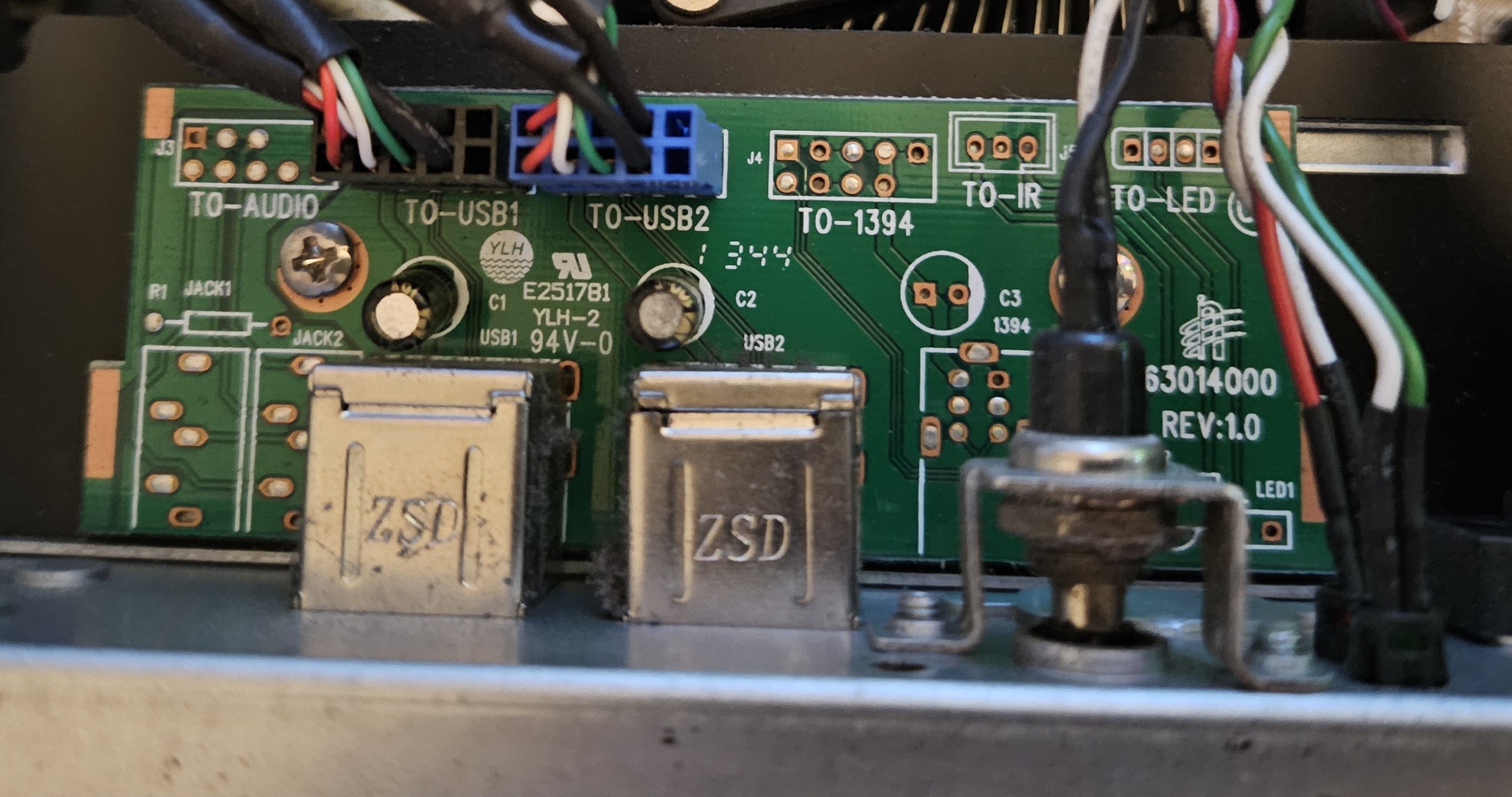
IO expansion board 3RAM3014000 REV:1.0
M2H110V1
PN: 259474-03 Rev C
MoBo: MSI H110M-PRO-VHL
500GB HDD Western Digital Black Model: WD500LPLX
4GB RAM (AD4U2400W4G17-B)
Intel Core i3-6100 @ 3.70GHz
unknown BIOS
1x HDMI & 2x USB 3 ports
IO expansion board 3RAM63014000 REV:1.0
M2H110V1
PN: 259474-02 Rev A
MoBo: MSI CSM-H110M PRO-VHL
500GB HDD Western Digital Black Model: WD500LPLX
4GB RAM (KVR21N15S8/4)
Intel Core i3-6100 @ 3.70GHz
BIOS Version: American Megatrends Inc. 2.P5
1x HDMI, 2x USB 3.0
IO expansion board 3RAM63014000 REV:1.0
M2H310V1
PN: RDBX01679-01 Rev. A
Mobo: MSI H310M PRO-VLH PLUS
500GB HDD Western Digital Black Model: WD5000LPSX
4GB DDR4 2400Mhz RAM
Intel Core i3-9100 @ 3.60 GHz
Windows 10 Enterprise LTSC x64
AMI 1.Q3, 1/22/2020
1x HDMI, 2x USB 3.0
All Redbox Premios have a power button located above on the I/O panel, it's a black discreet button.
Components
Touch Screen
Kristel Displays (from outdoor kiosk) 15"
Product #: 259420
Model: LCD15-042A
LCD Panel Model: Sharp LQ150X1LG91
Max Resolution: 1024x768 @ 75Hz
OSD/Display controls can be accessed from four buttons on the back of the display
OSD/Display controls can be accessed from four buttons on the back of the display
These are known to be installed on re-located outdoor Canadian Kiosks outside of Walmart
Kristel Displays (from indoor kiosk) 15"
Product #: RDBX01570
Model: LCD15-026D
LCD Panel Model: UNKNOWN
Max Resolution: 1024x768 @ 75Hz
Carousel
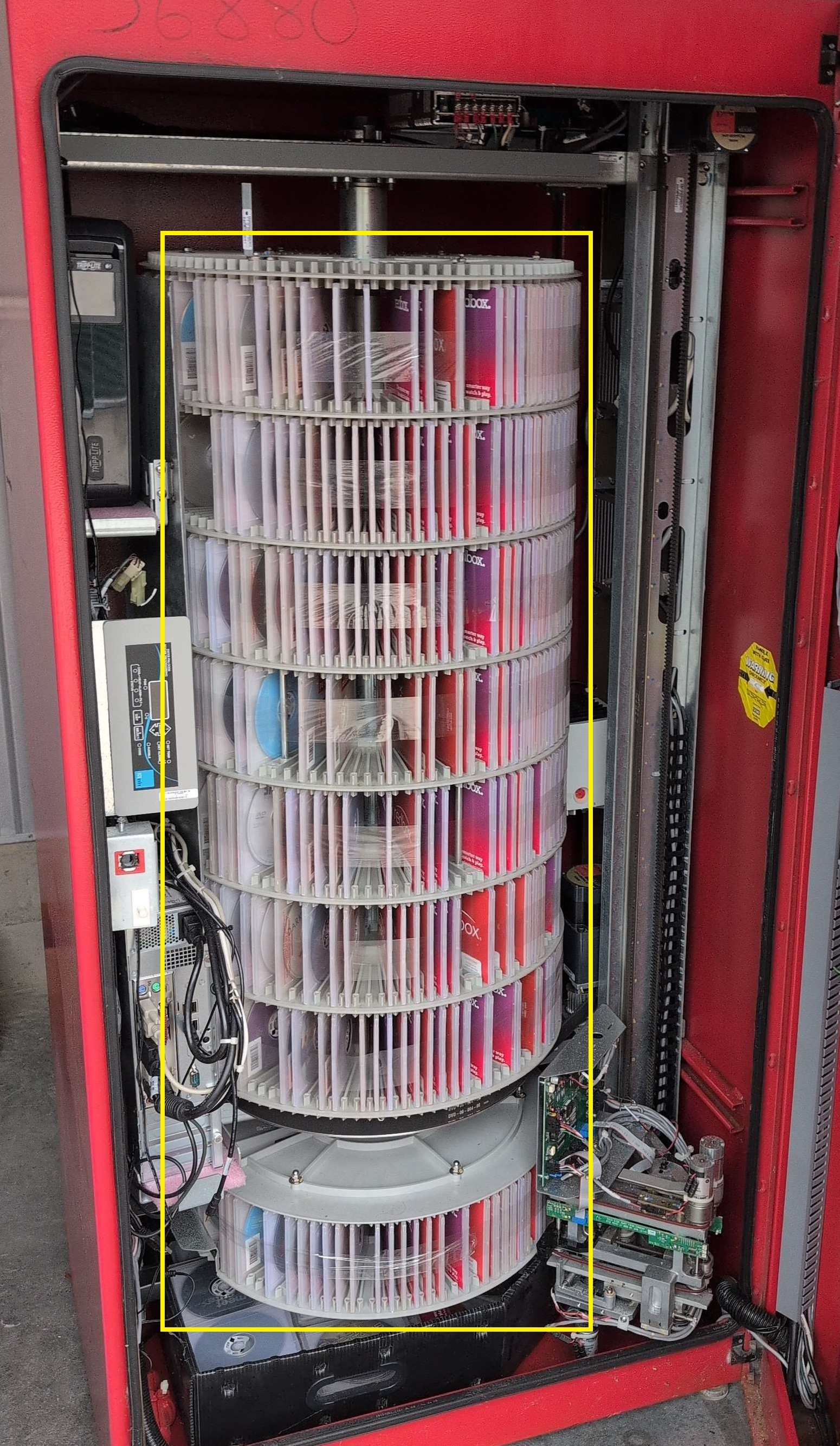
The carousel consists of a central solid steel rod with 8 plastic platters (decks), each deck consists of 6 quadrants (the area between posts) where each quadrant holds 15 disks, for a total of 90 disks per deck. A VMZ equipped kiosk can store a total of 720 disks (but usually only contains around 600 to keep the VMZ empty and to reserve space for returns).
Carousel in a VMZ kiosk:
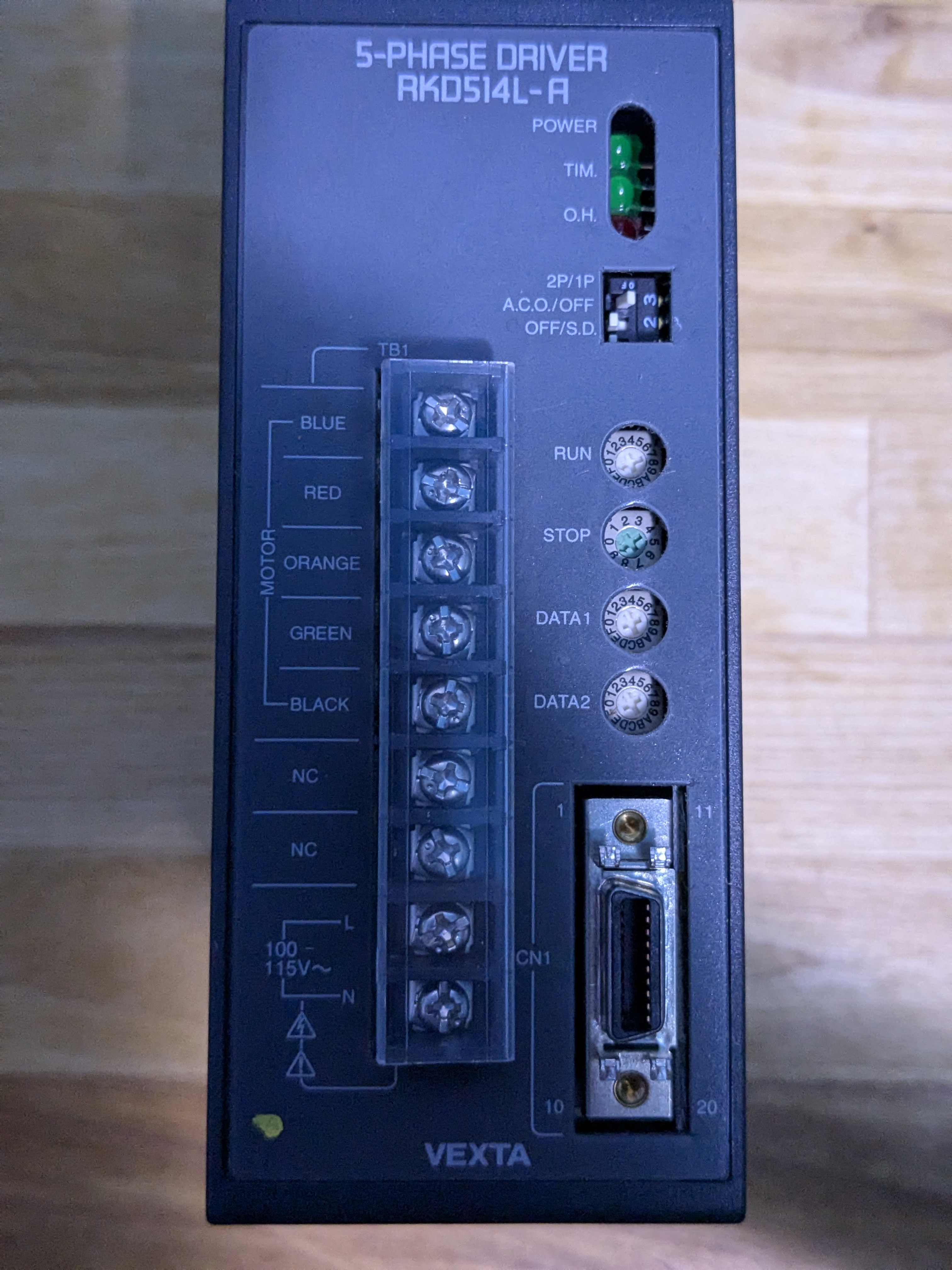
Vexta 5-Phase Driver
Product # RKD514H-A-A11 / RKD514H-A-A6
Model RKD514L-A / RKD514H-A
Sticker # 091200M8ZX / 091200M8ZW
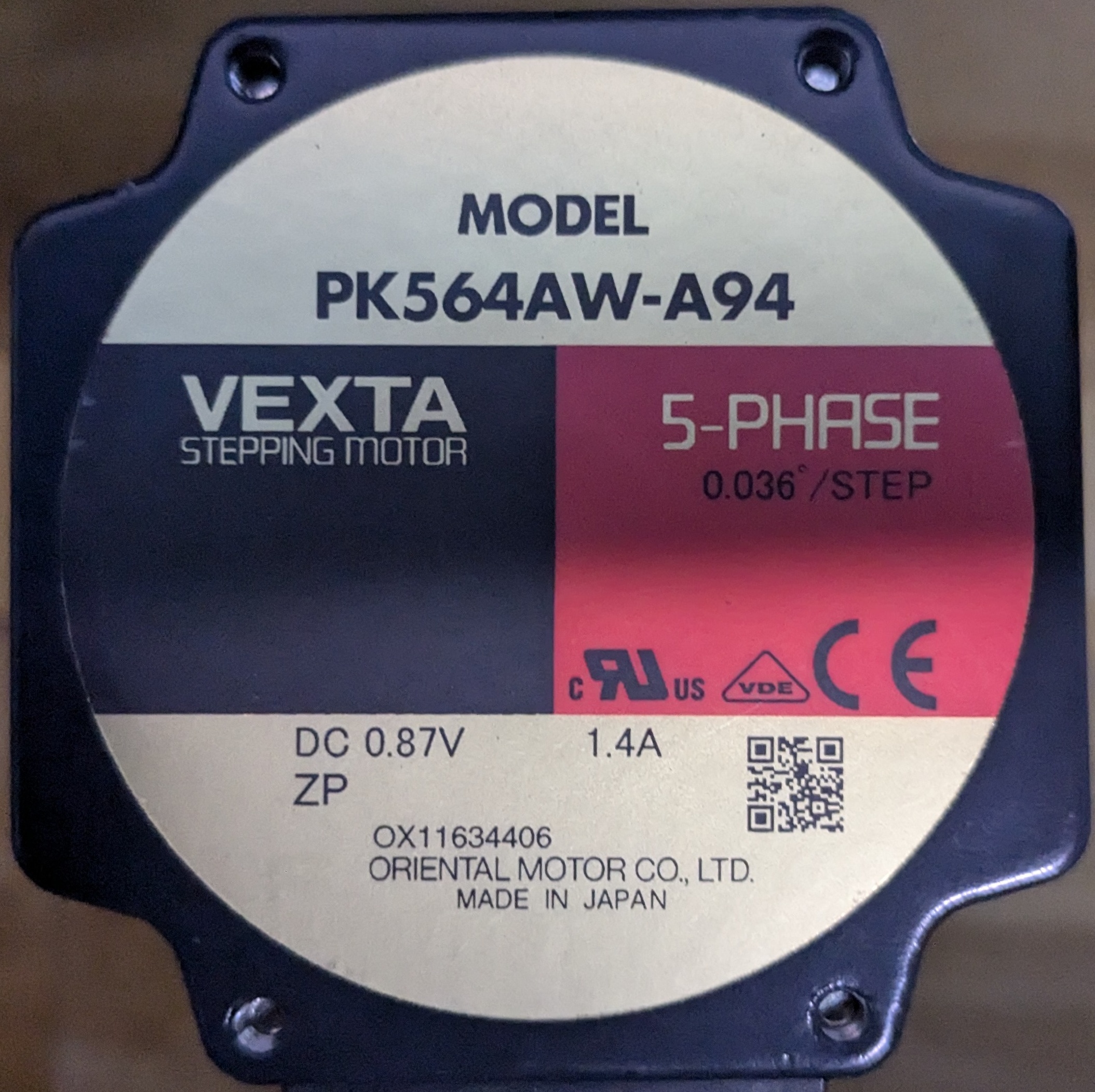
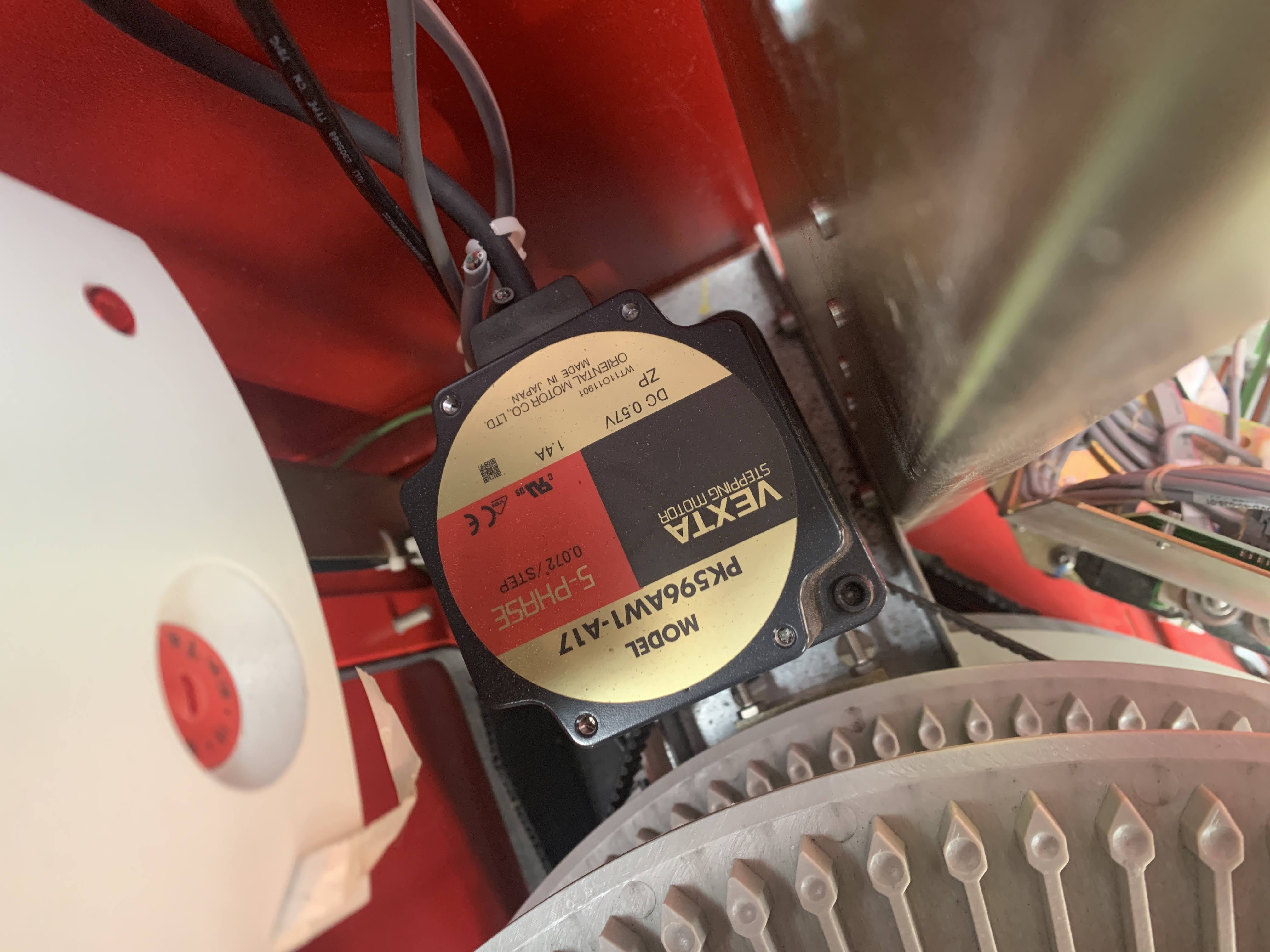
Vexta PK Series Steppers
Picker/Y-axis
The picker (or Y-axis) consists of a vertically mounted metal extrusion, with a rail mounted in the center. At the top and bottom of the section are ball bearing belt rollers, that allow the belt to rotate, but stay fixed in place horizontally. This belt is then looped through the frame of the picker.
Barcode scanner
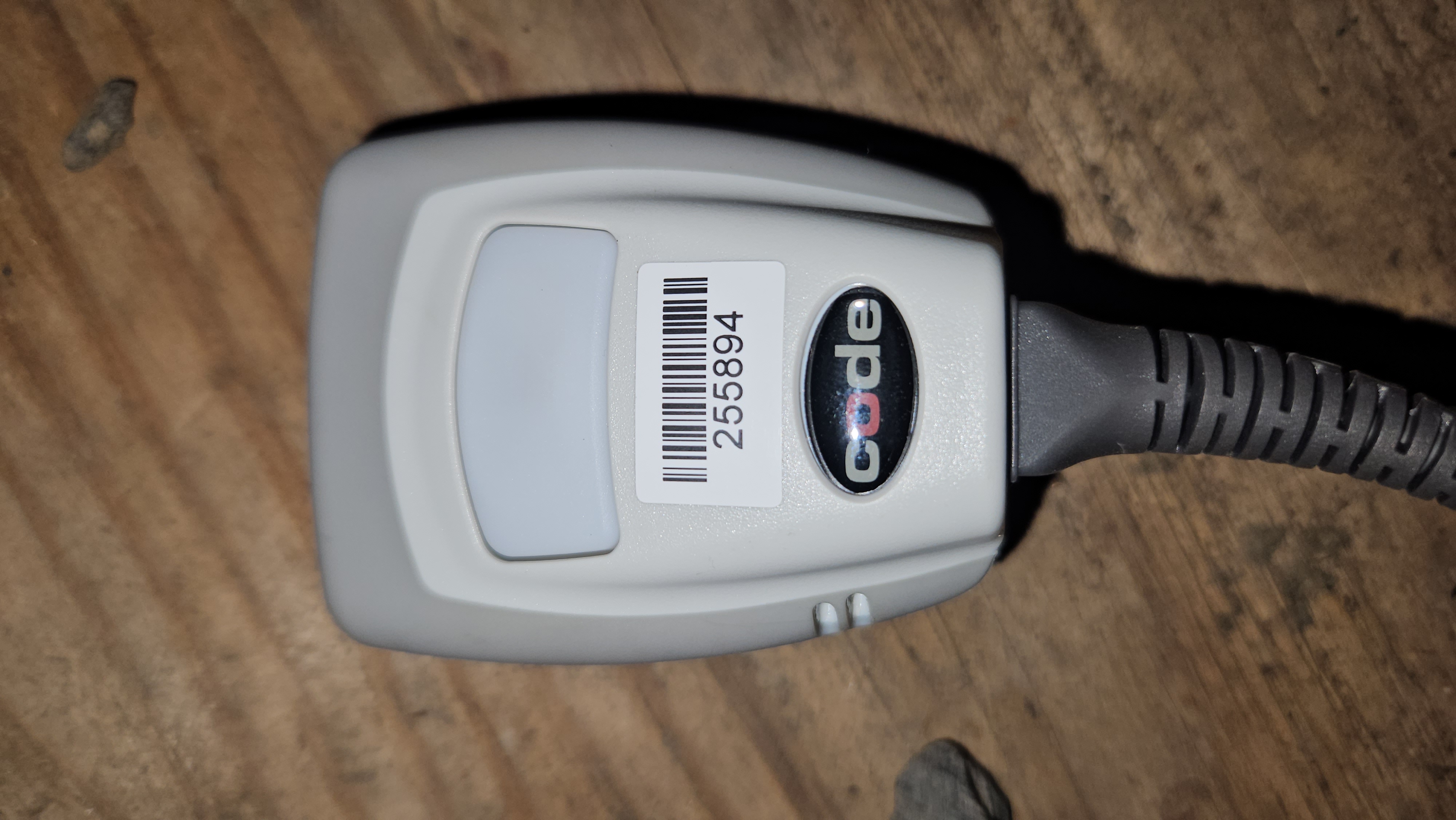
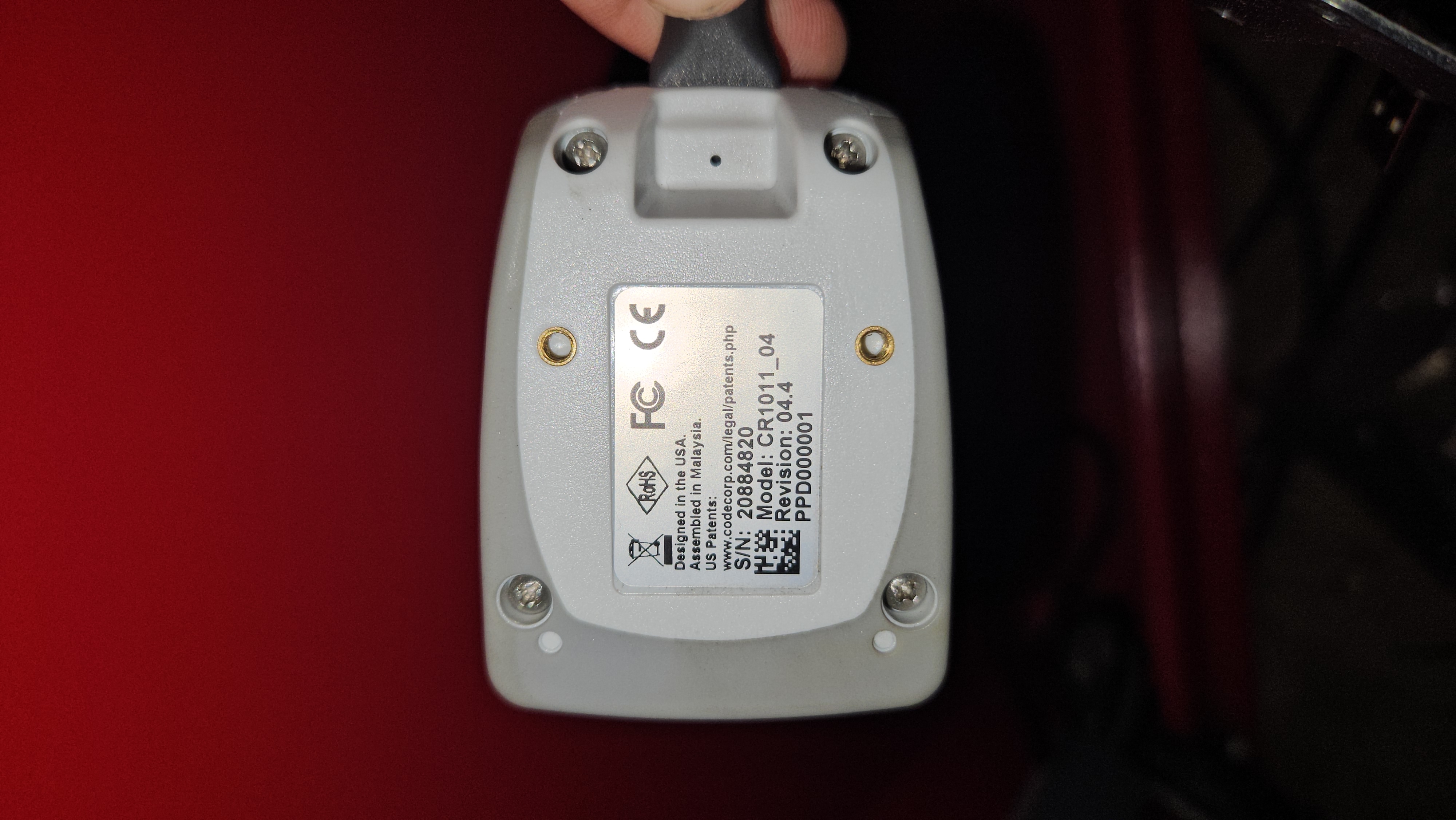
The barcode scanner is mounted to the inside of the picker carriage's frame, facing outwards to the disk. It is connected to the internal PC via USB, and is used to determine the disk that is being returned or rented.
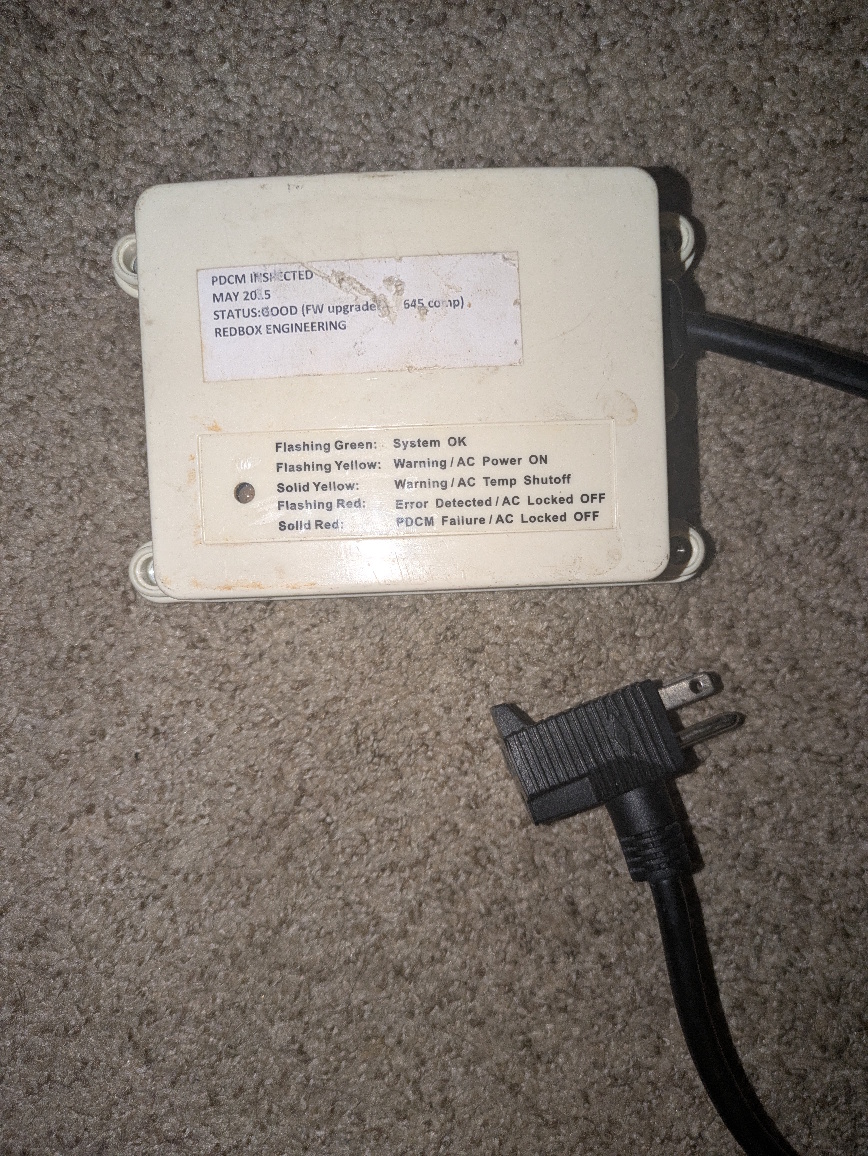
> These PDCM Boxes were installed by Techs to prevent the AC units from turning on if there was a fault, but were later removed and Master Lock Plug Prong Lockouts were installed, thus keeping the AC unit unplugged. Former employees do not recommend removing these lockouts as they were put in by techs due to faults. These PDCM boxes can be removed as they showed that the AC problem worsened and causes the AC unit to run poorly.
{.is-warning}
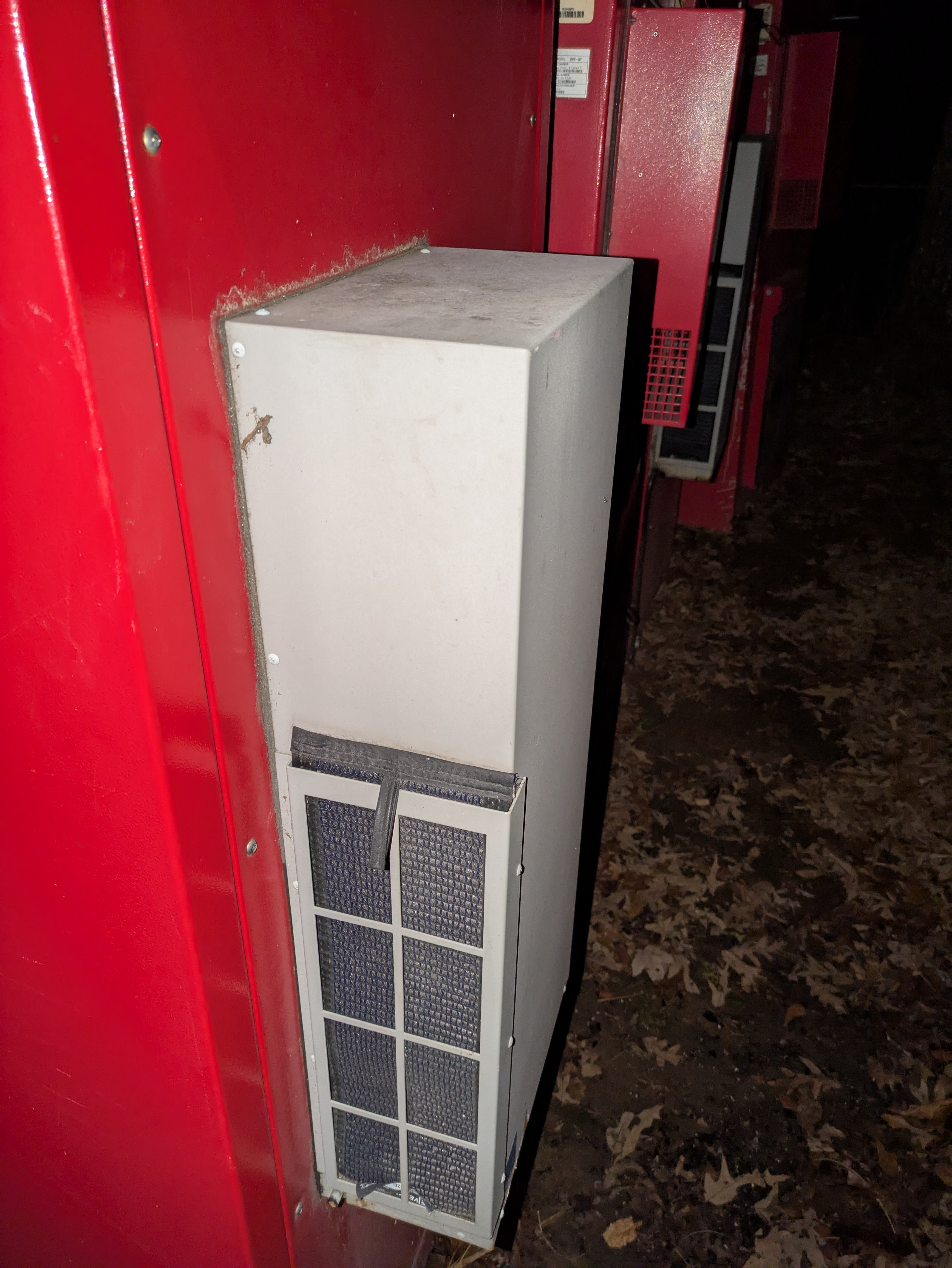
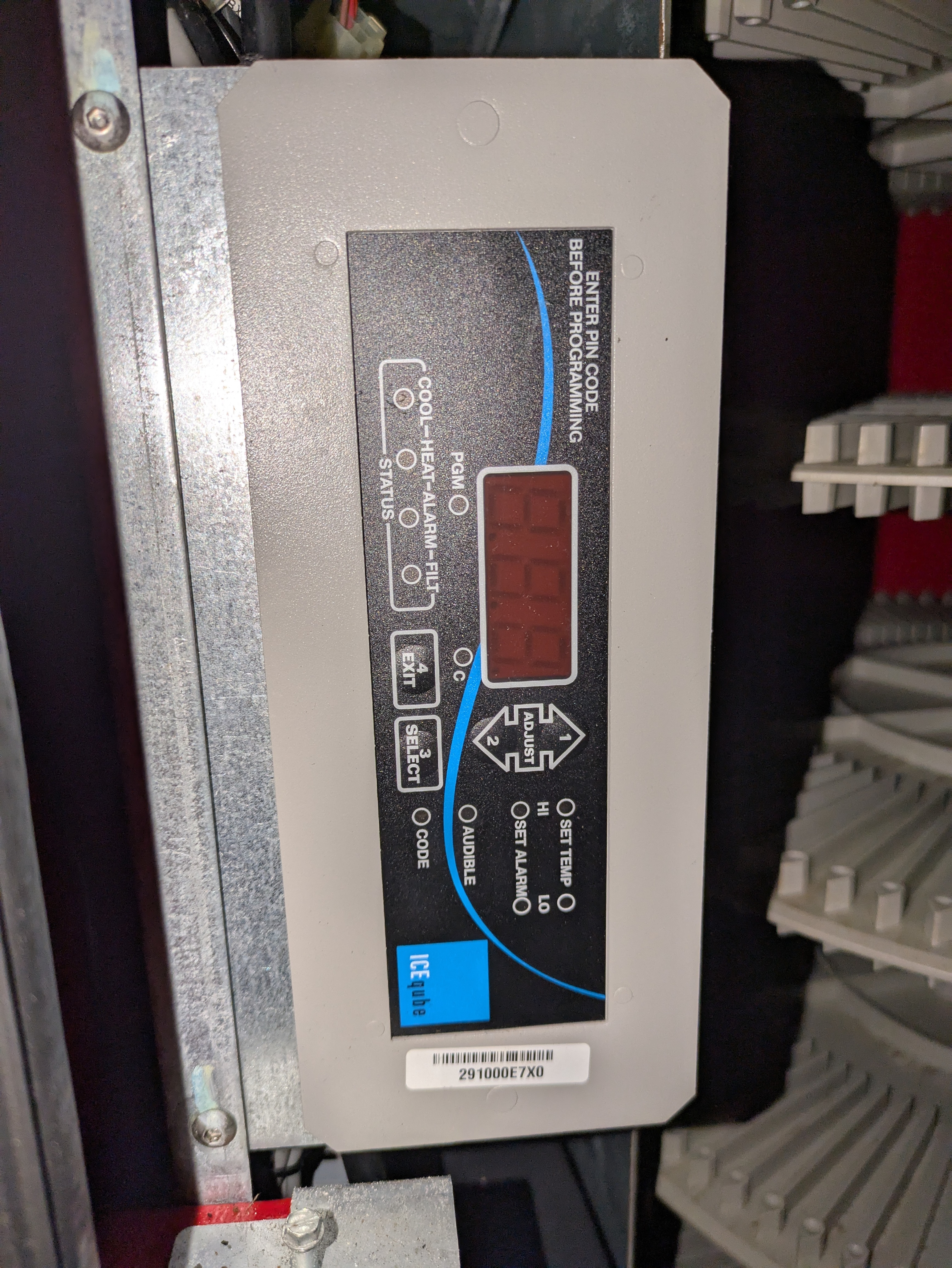
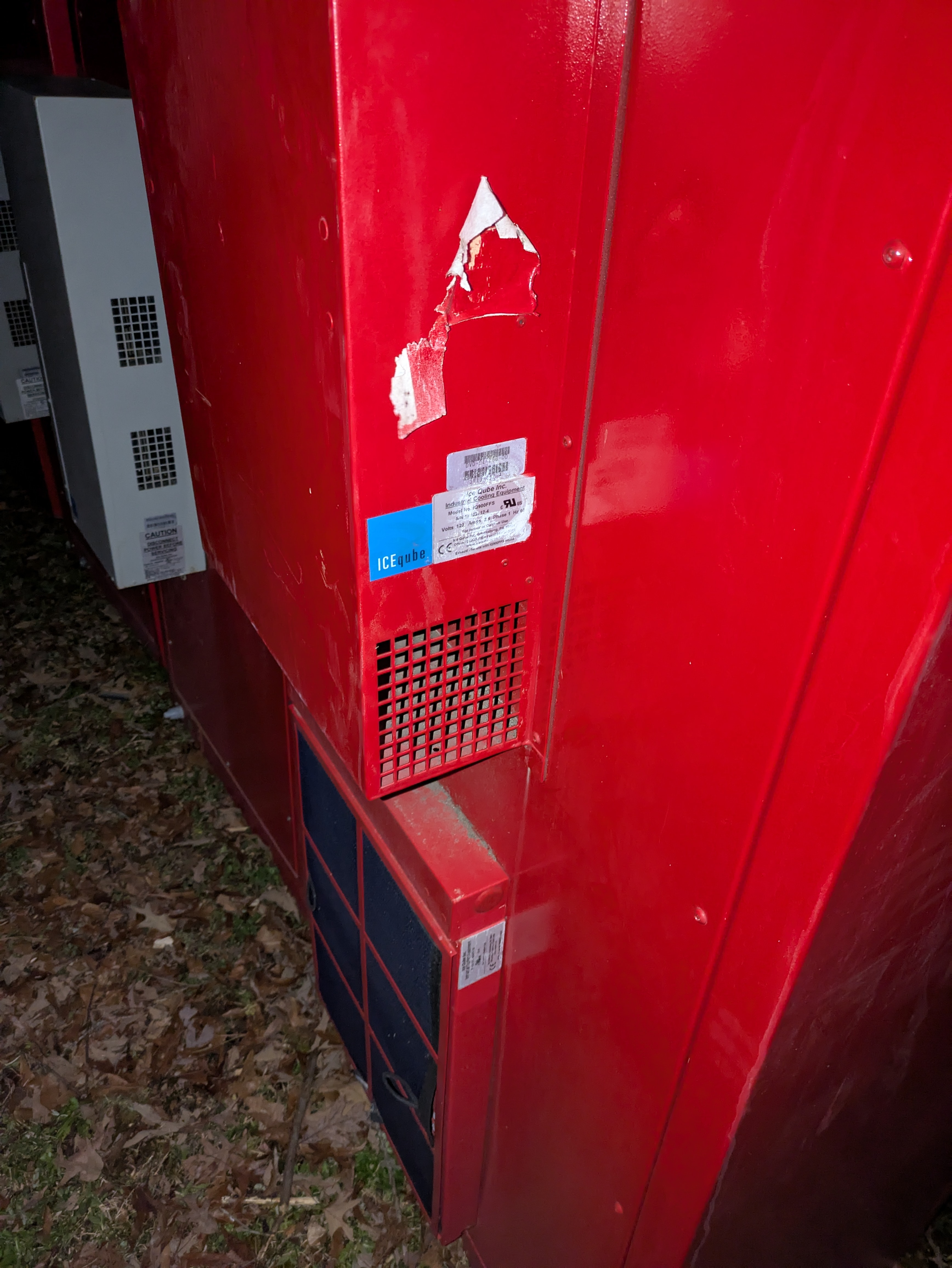
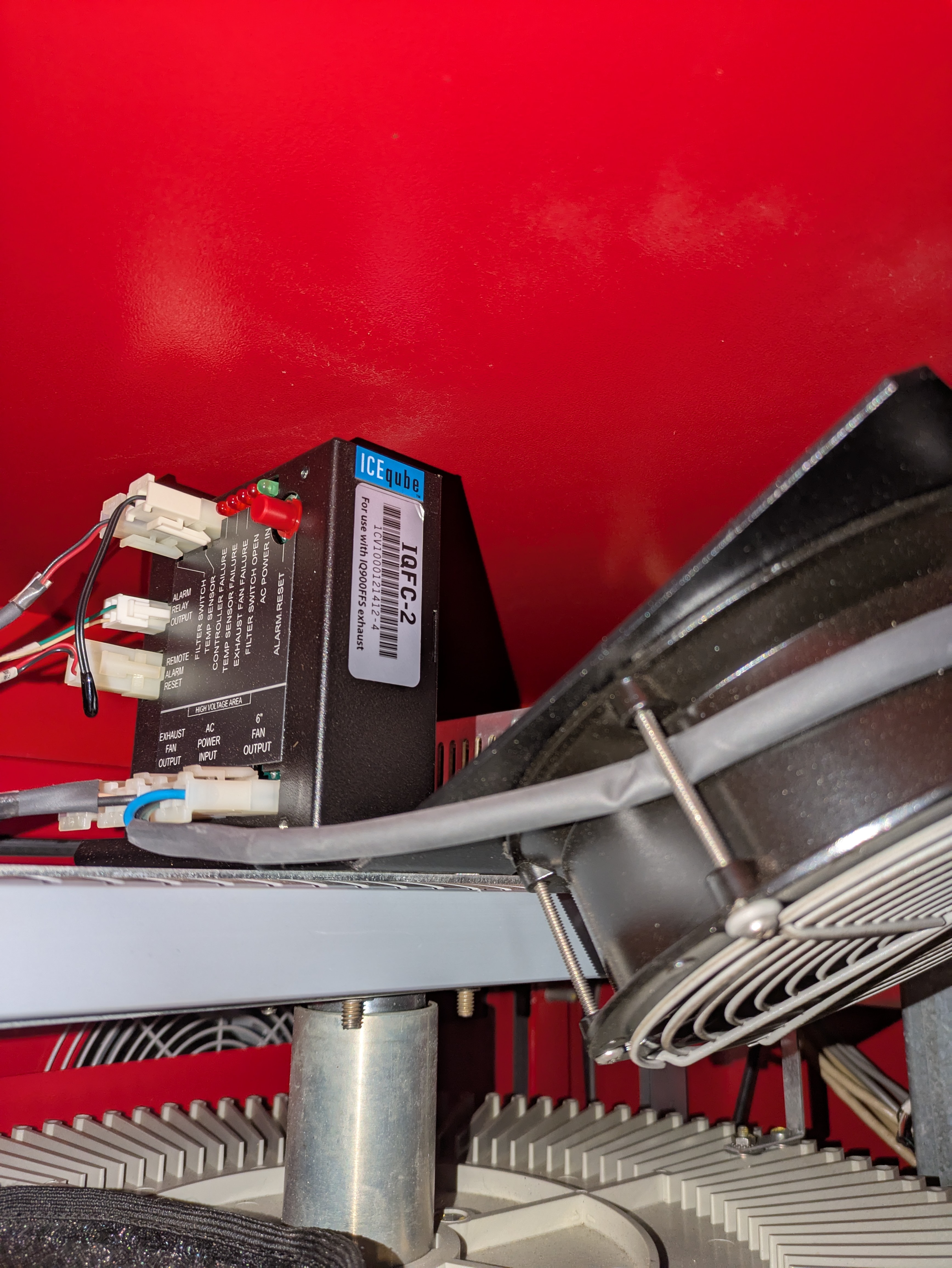
IceQube IQ900FFS (Air Exchanger)
Unit
Controller
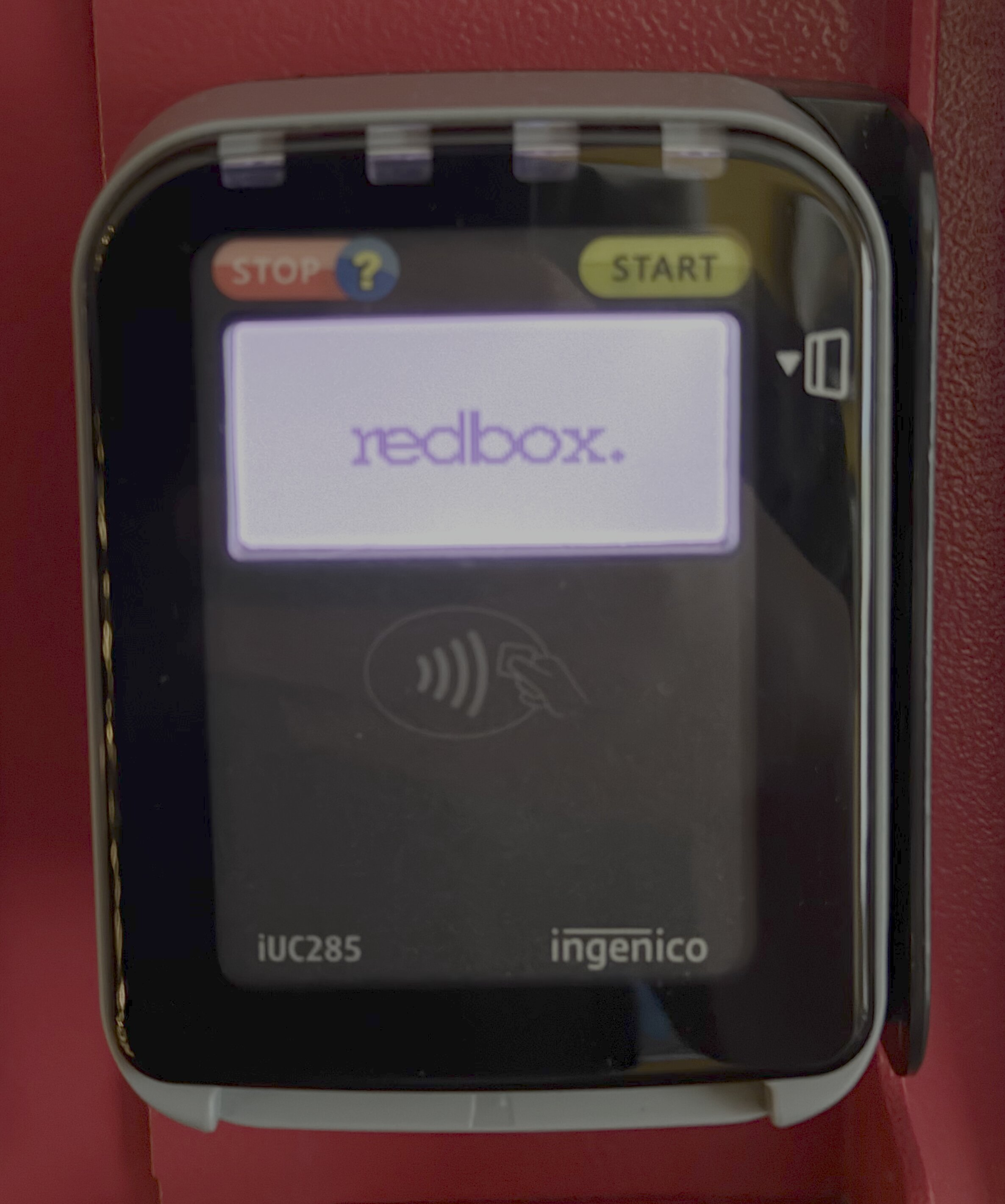
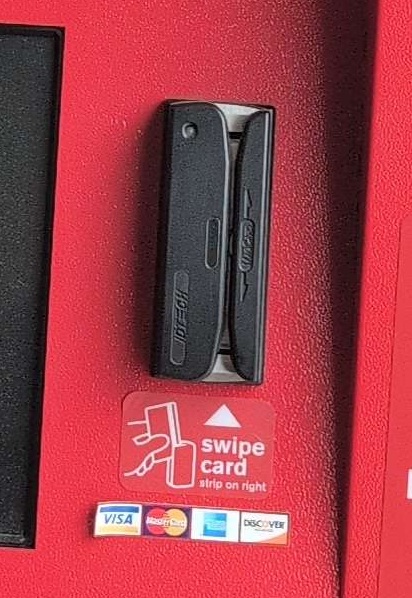
Credit Card Reader
Ingenico iUC285
IDTECH SecureMag/MiniMag II
Original card reader integrated with the kiosk shell, removed and upgraded to Ingenico iUC285 around 2018 due to updated account security protocols issued in 2015, new card readers utilized mounting plate.
Modems
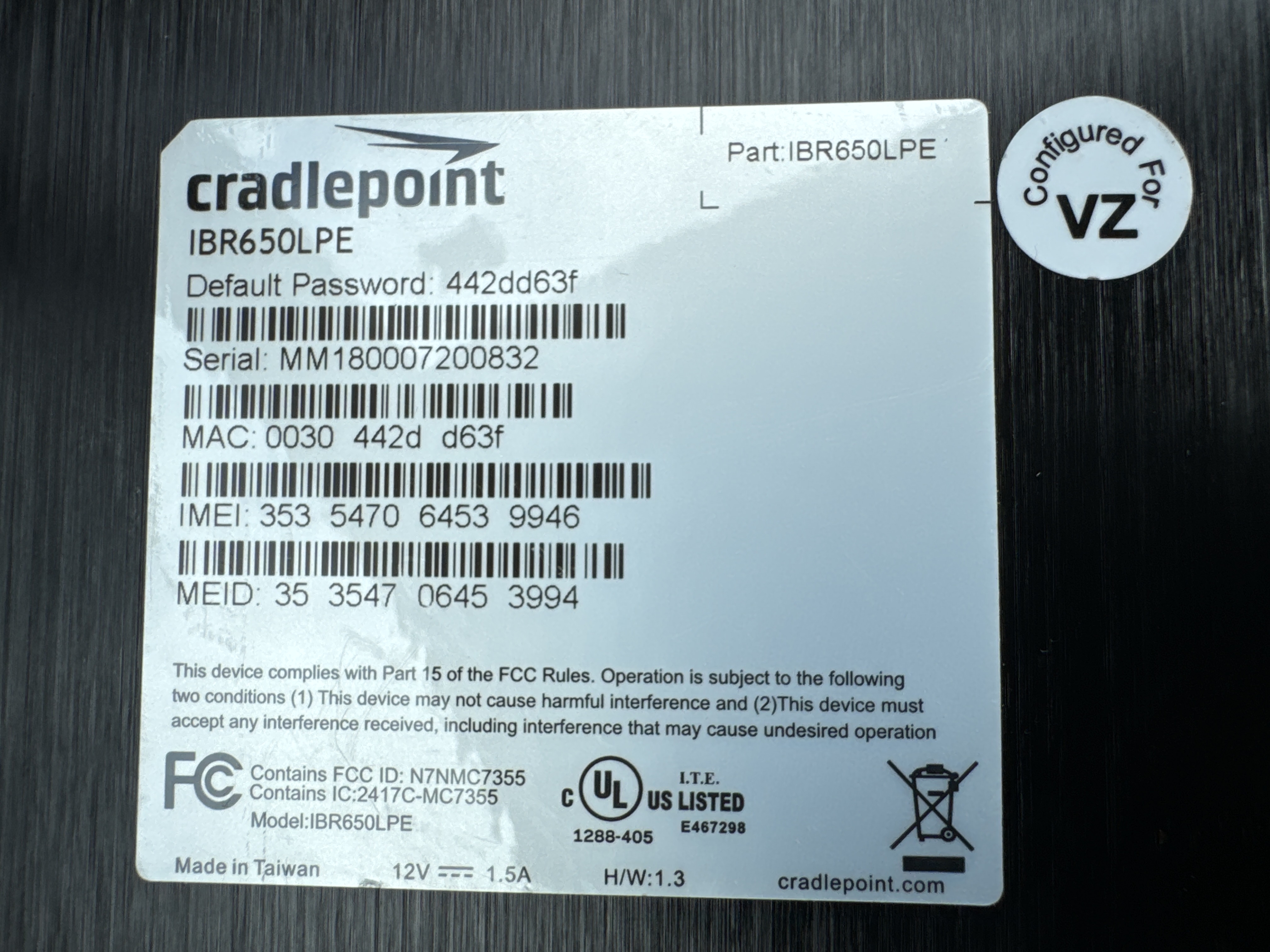
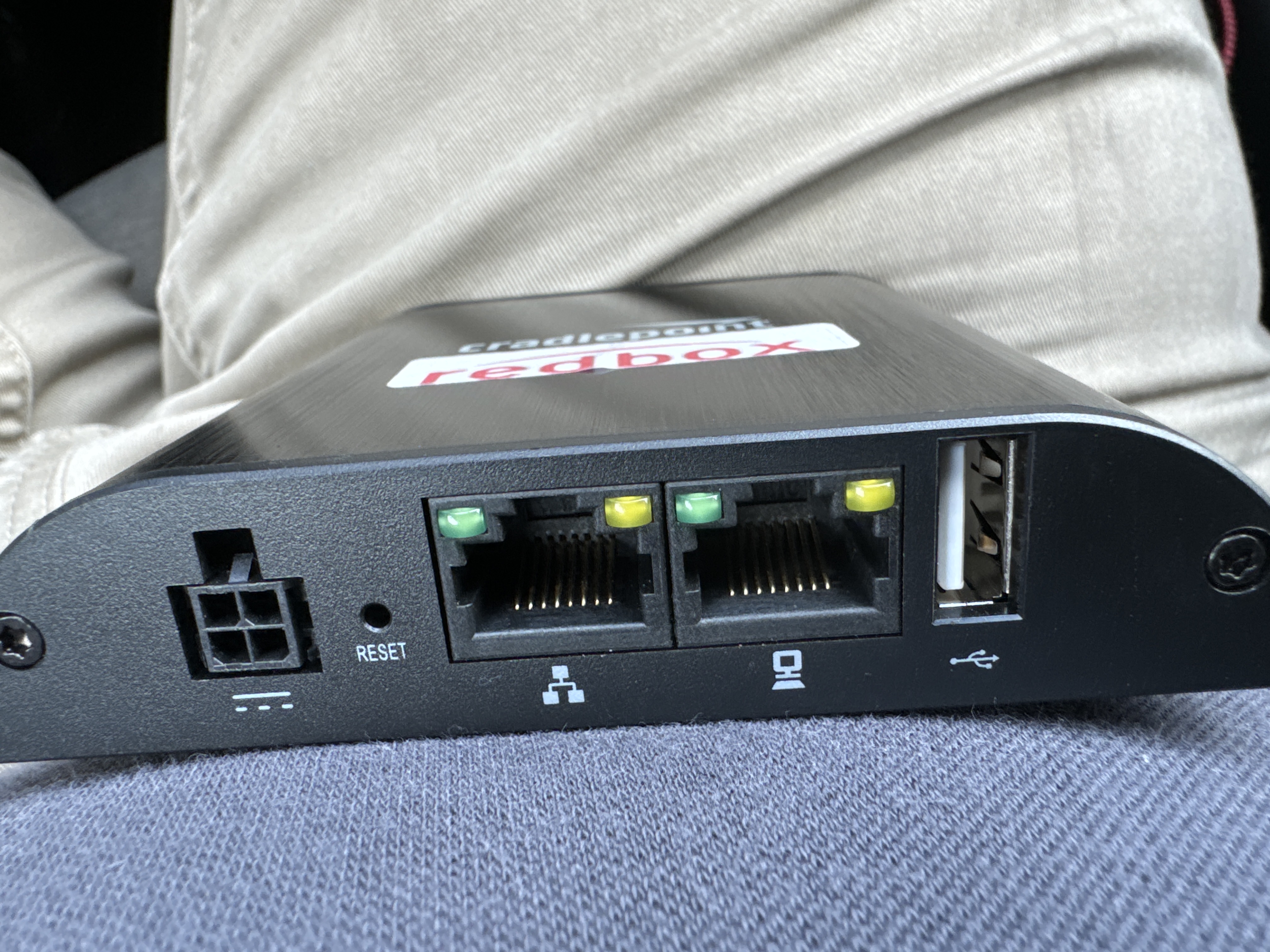
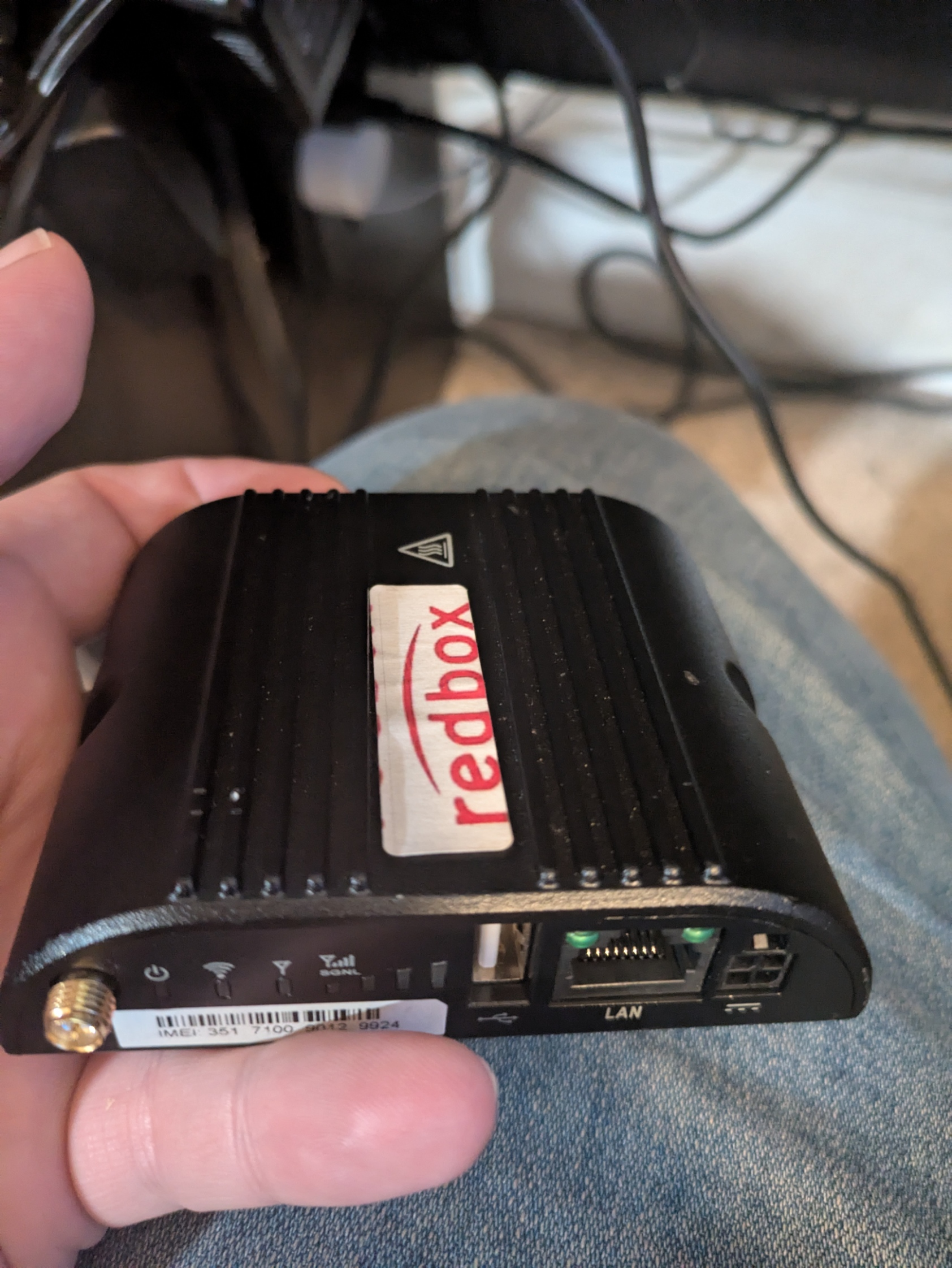
Cradlepoint IBR650LPE Netcloud
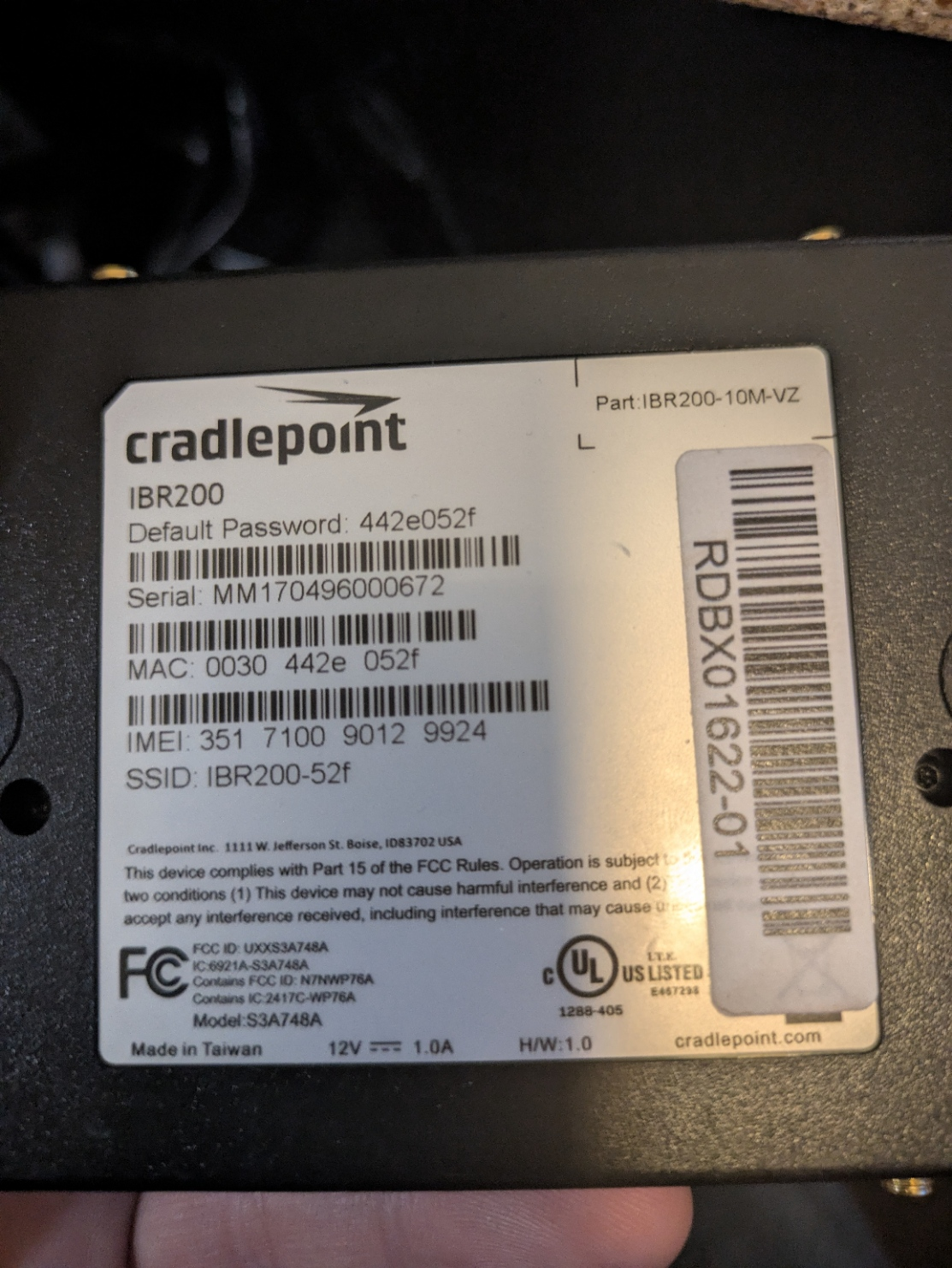
Cradlepoint IBR200
To access the admin interface connect to the modem, head to 192.168.0.1 and when prompted for your password use the default password on the back of the modem. You may need to do a factory reset by pushing in the recessed reset button on the ethernet-port-side of the modem to deprovision the modem and make it accessible with the default credentials.
If you're having issues getting into the unit after a factory reset, try removing the SIM during the reset process. You can put the SIM back in once it's unprovisioned.
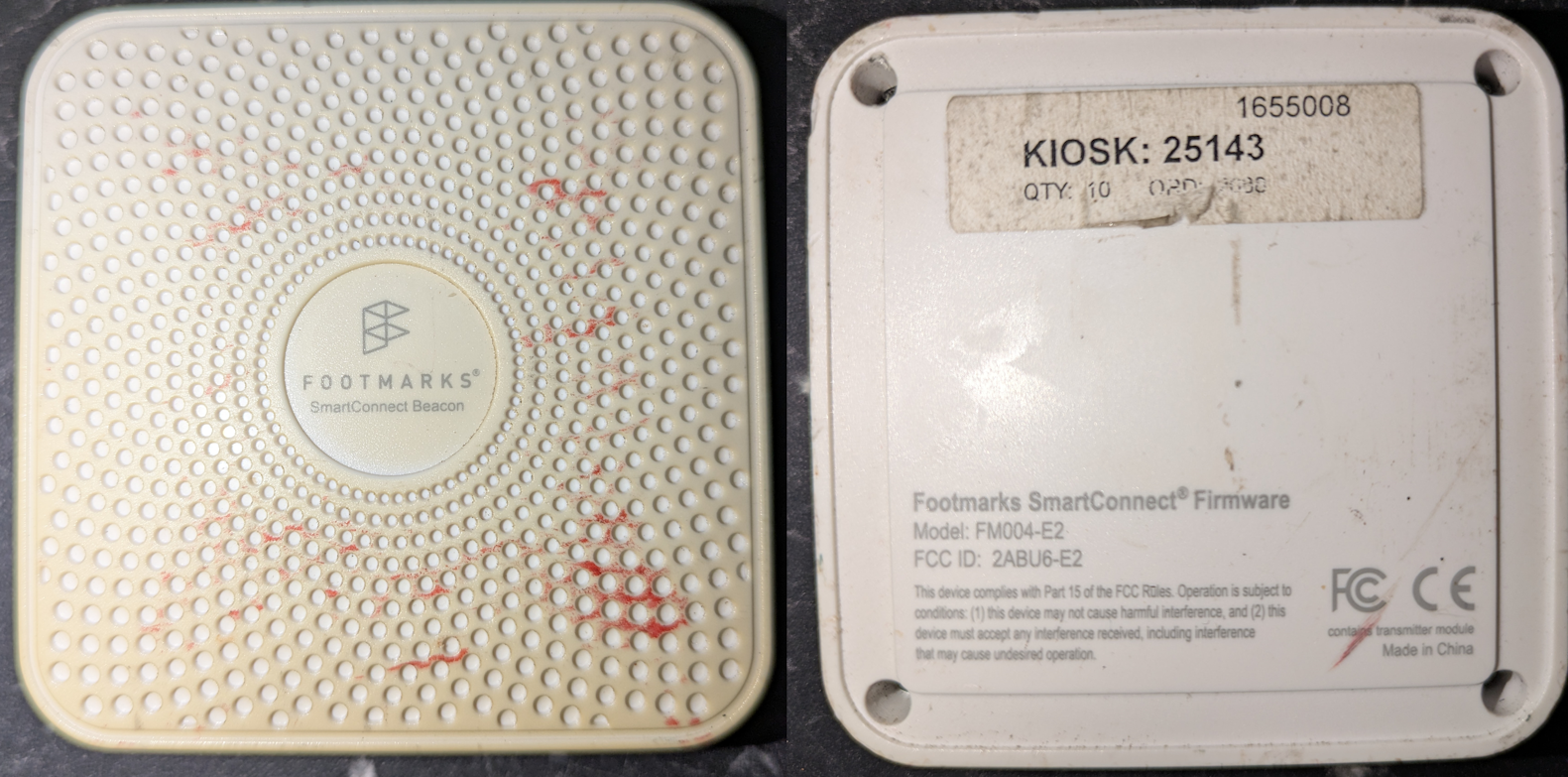
Bluetooth Beacon Device
Some, if not all lightboxes contains a FOOTMARKS SmartConnect Beacon FM004-E2, which would report back to Redbox with how many passed by and how many stayed at the kiosks. These had two known functionalities:
Send offers to the Redbox App on your phone with promo codes.
Determine if more Redbox Kiosks should be installed in the nearby area or the Retail Store itself, but most retailers would request a secondary unit if their location is high traffic.
Power Distribution Unit
There is possibilities that none of these will be in the unit and would be replaced with a random power strip.
{.is-info}
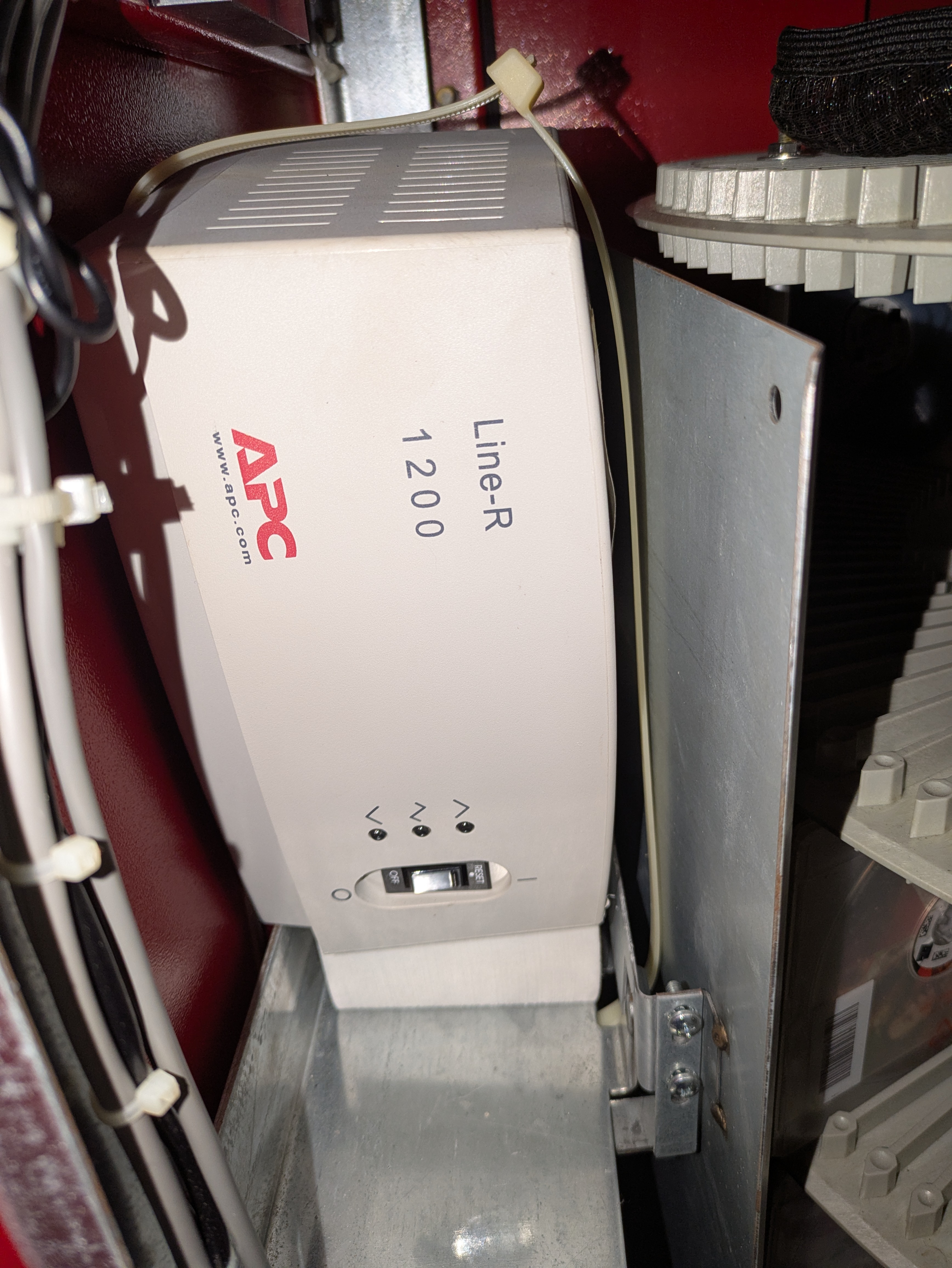
APC Line-R 1200VA Automatic Voltage Regulator
This device ensures that the proper voltage is going into the kiosk. It is NOT a UPS and does not have a battery inside.
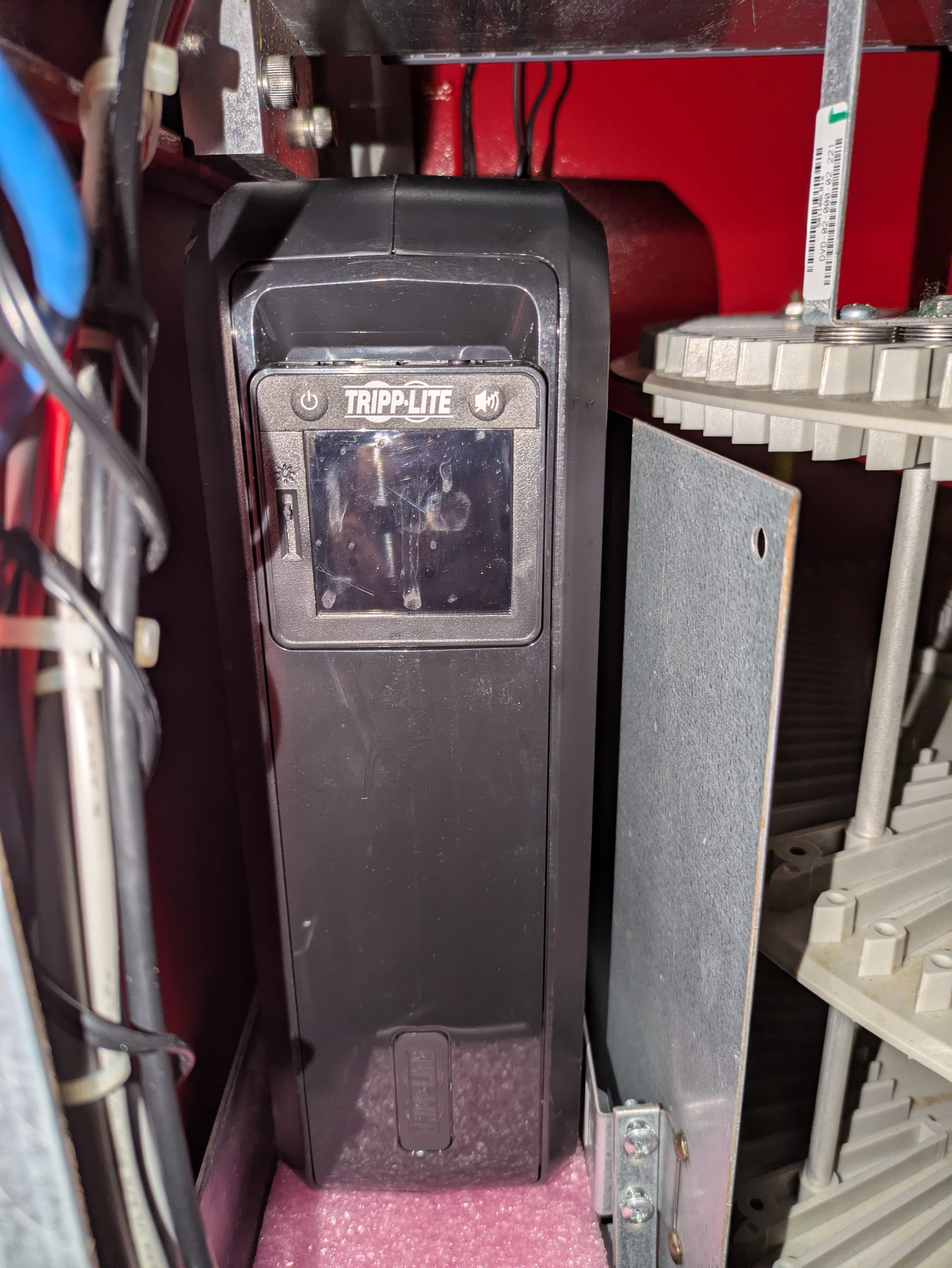
Tripp-Lite 900VA UPS Battery Back Up - OMNI900LCD
Most, if not all batteries in the UPS are dead and will need to be replaced. Details on how to replace will be in replacement parts.
{.is-warning}
When the kiosk loses power, this device powers the kiosk PC for safe shutdown providing there is no faults with the UPS.
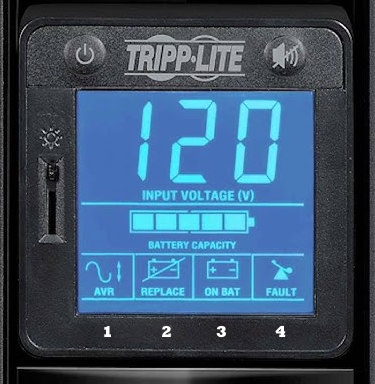
Tripp-Lite Status/Error Codes
AVR (Automatic Voltage Regulation) Icon
This icon will illuminate whenever your UPS is
automatically correcting AC line voltage without depleting battery power. This is a normal,
automatic operation of your UPS, and no action is required on your part.
REPLACE (Battery Recharge/Replace) Icon
This icon will illuminate and an alarm will
sound after a self-test to indicate the UPS battery needs to be recharged or replaced. Allow
the UPS to recharge continuously for 24 hours, and repeat the self-test. If the icon
continues to illuminate, contact Tripp Lite for service. Battery replacement should only be
performed by qualified service personnel.
ON BAT (On Battery) Icon
During a severe brownout or blackout, this icon illuminates
and an alarm sounds (four short beeps followed by a pause) to indicate the UPS is operating
from its internal batteries. Monitor the “Battery Capacity” Meter to determine the
approximate battery charge level available to support equipment. During a prolonged
brownout or blackout, the alarm will sound continuously (and the “BATTERY CAPACITY”
Meter will show one 20% capacity segment shaded) to indicate the UPS's batteries are
nearly out of power; you should save files and shut down your equipment immediately
FAULT Icon
This icon will illuminate and an alarm will sound after a self-test to indicate
the battery-supported outlets are overloaded. To clear the overload, unplug some of your
equipment from the battery-supported outlets and run the self-test until the icon is no longer
illuminated and the alarm is no longer sounding.
Any overload that is not corrected by the user immediately following a
self-test may cause the UPS to shut down and cease supplying output power in the
event of a blackout or brownout.
{.is-danger}
Boards
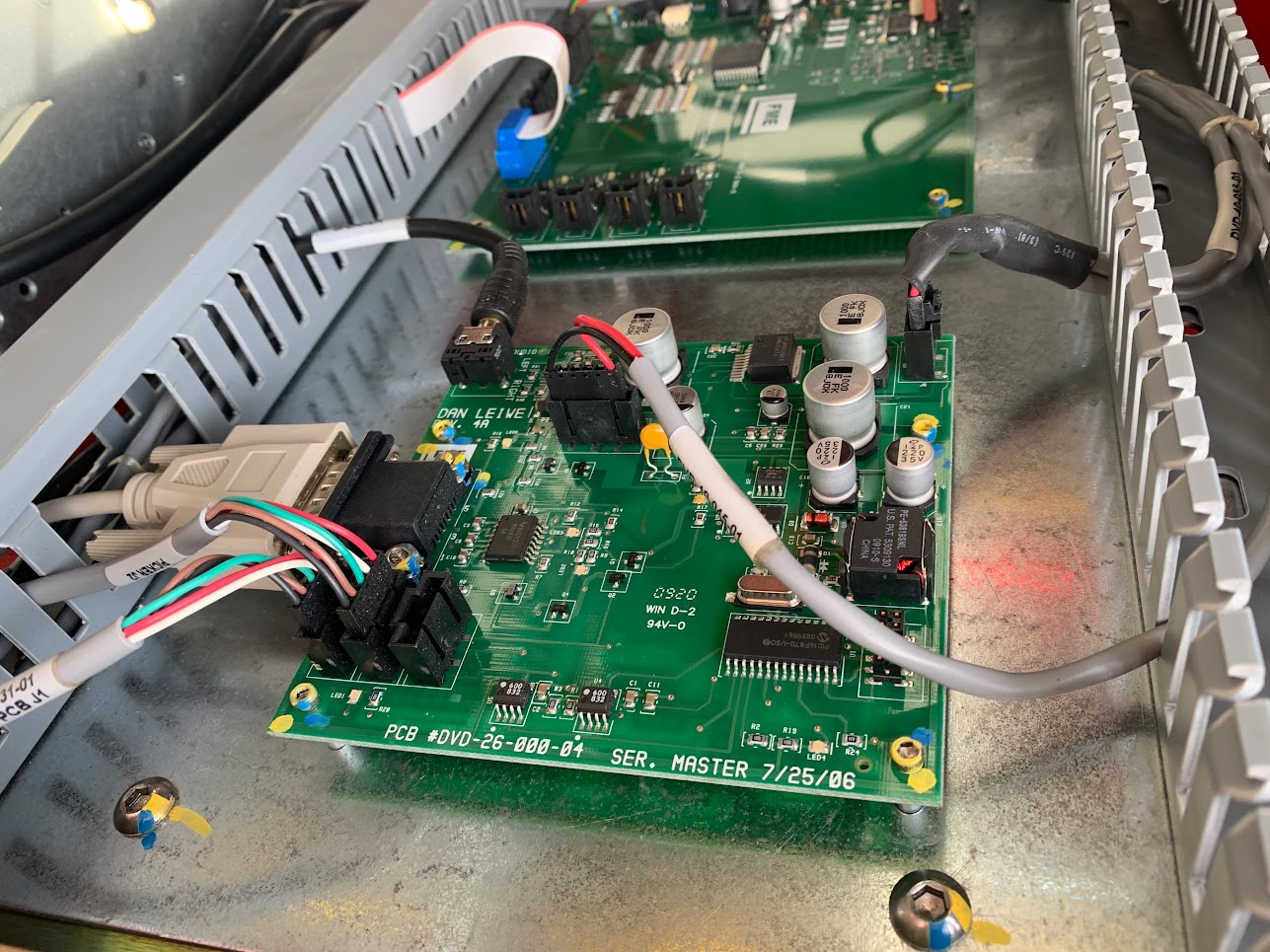
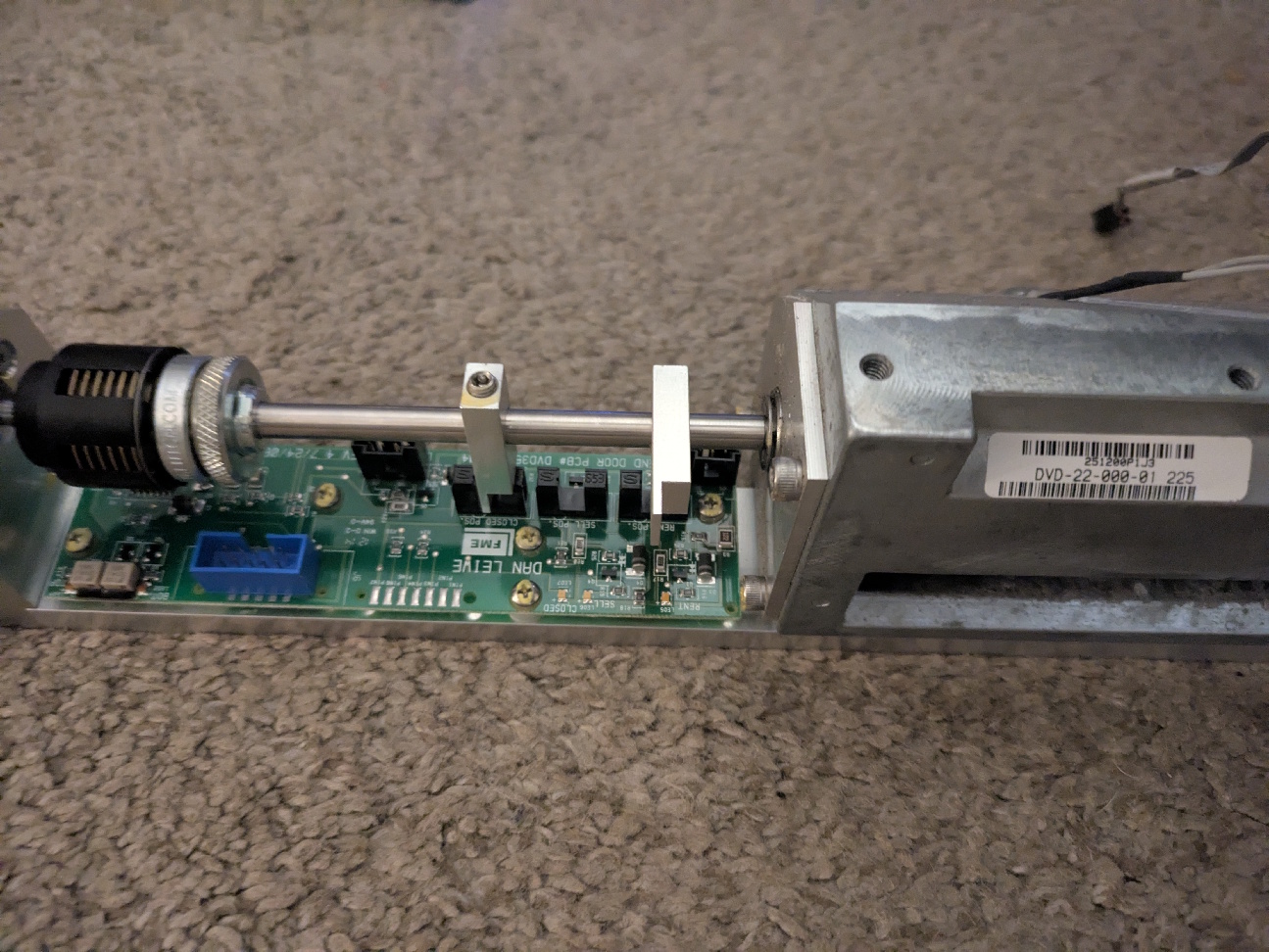
PCB #DVD-26-000-04
SER. Master 7/25/06
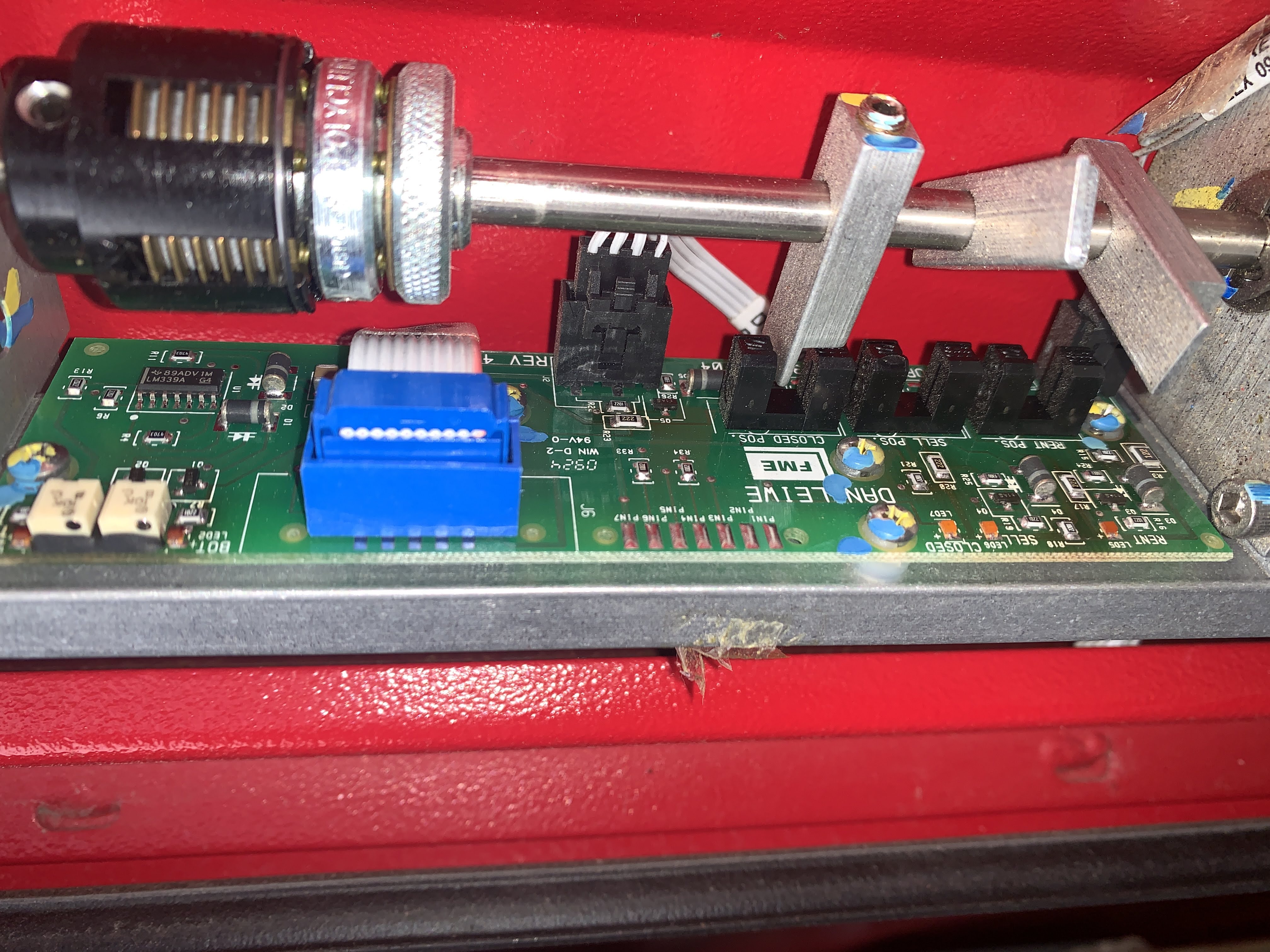
Dan Leiwe disc dispenser controller
With sell sensor
Without sell sensor
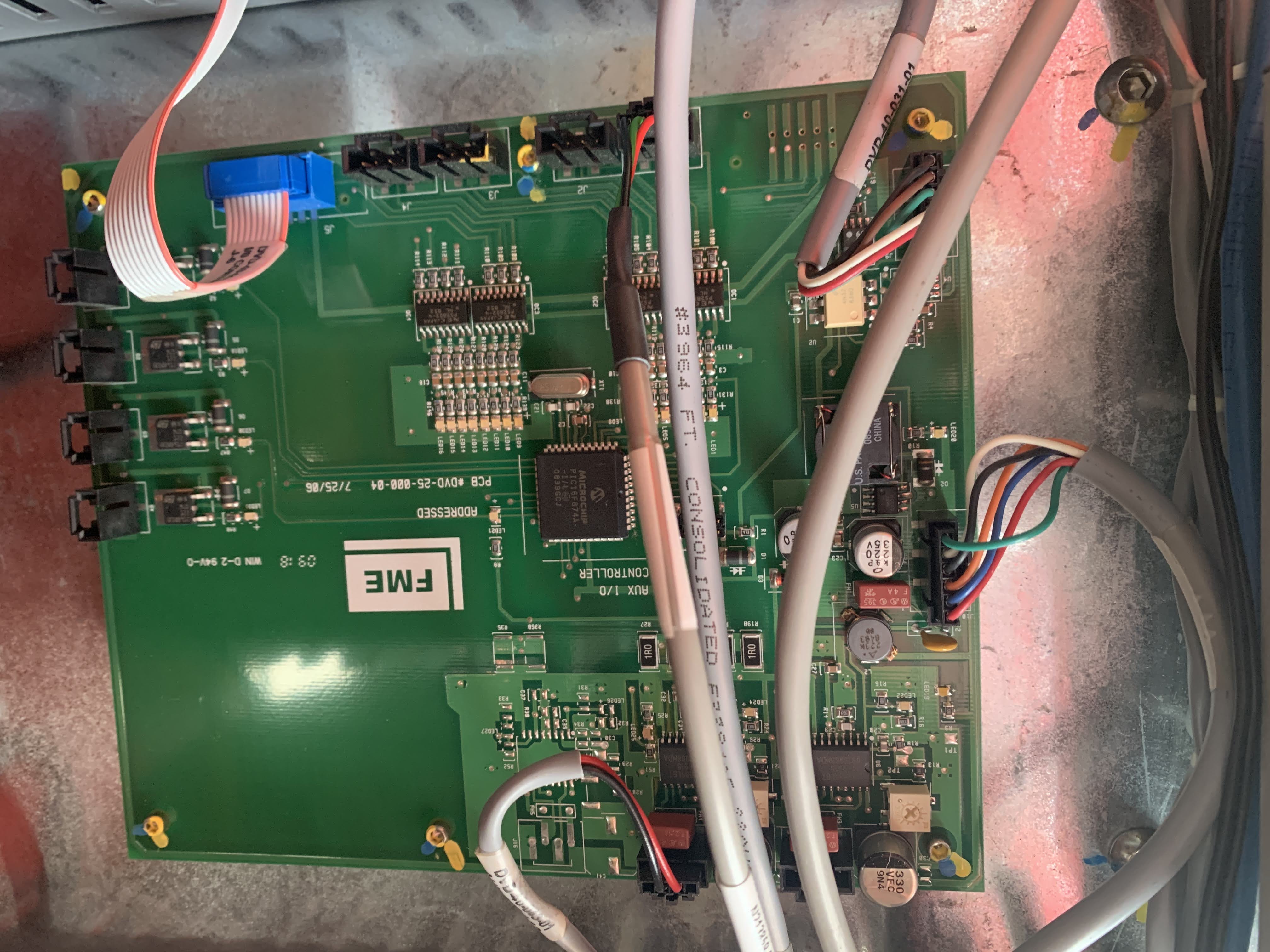
AUX I/O Controller
PCB #DVD-25-000-04 7/25/06
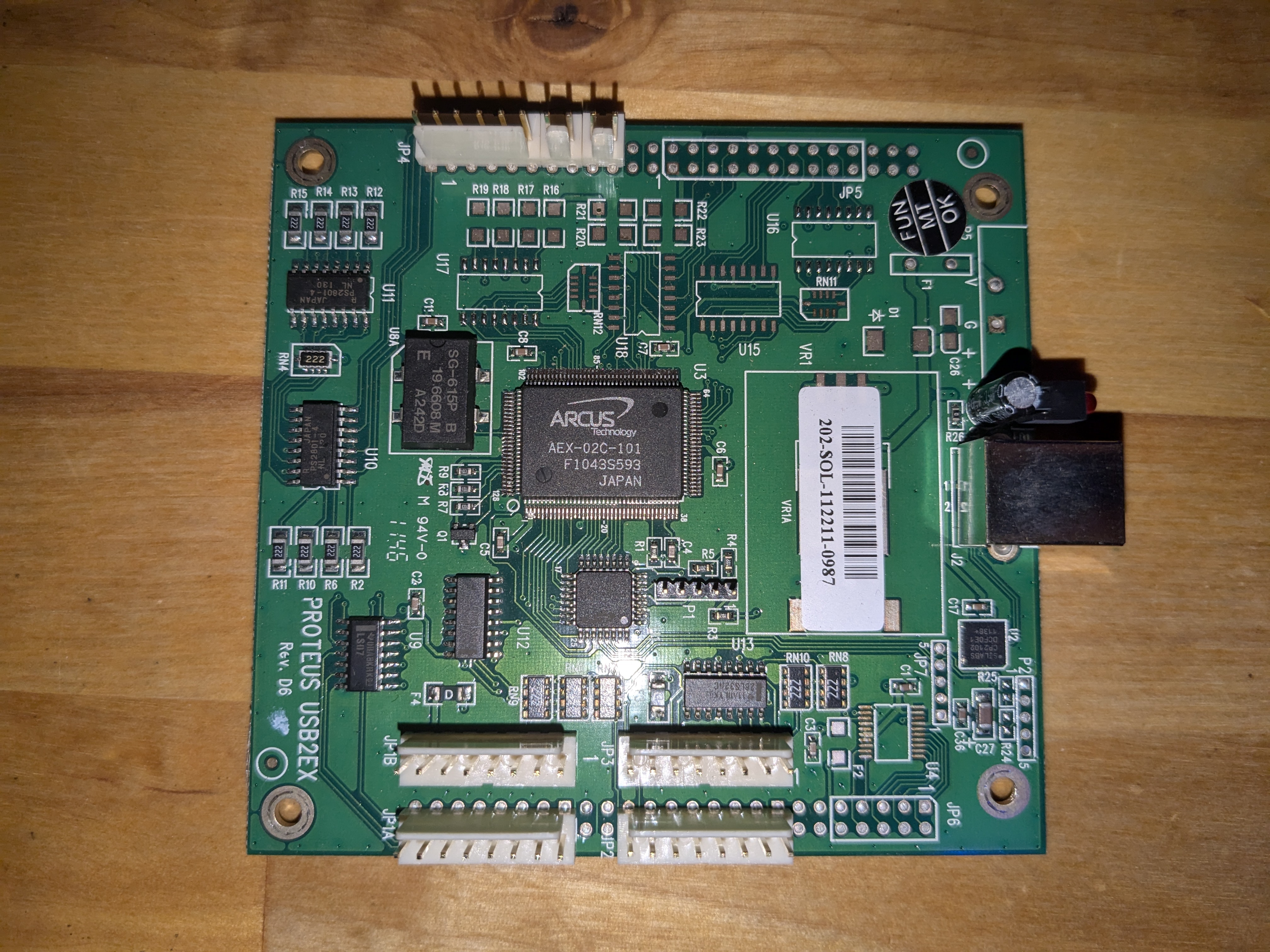
Arcus Proteus XES (Carousel/Gripper Z-Axis)
Mounted to top of carousel cross-beam, connects to Vexta drivers via USB
Serial #202-SOL-112211-0987
PCB "PROTEUS USB2EX Rev. D6"
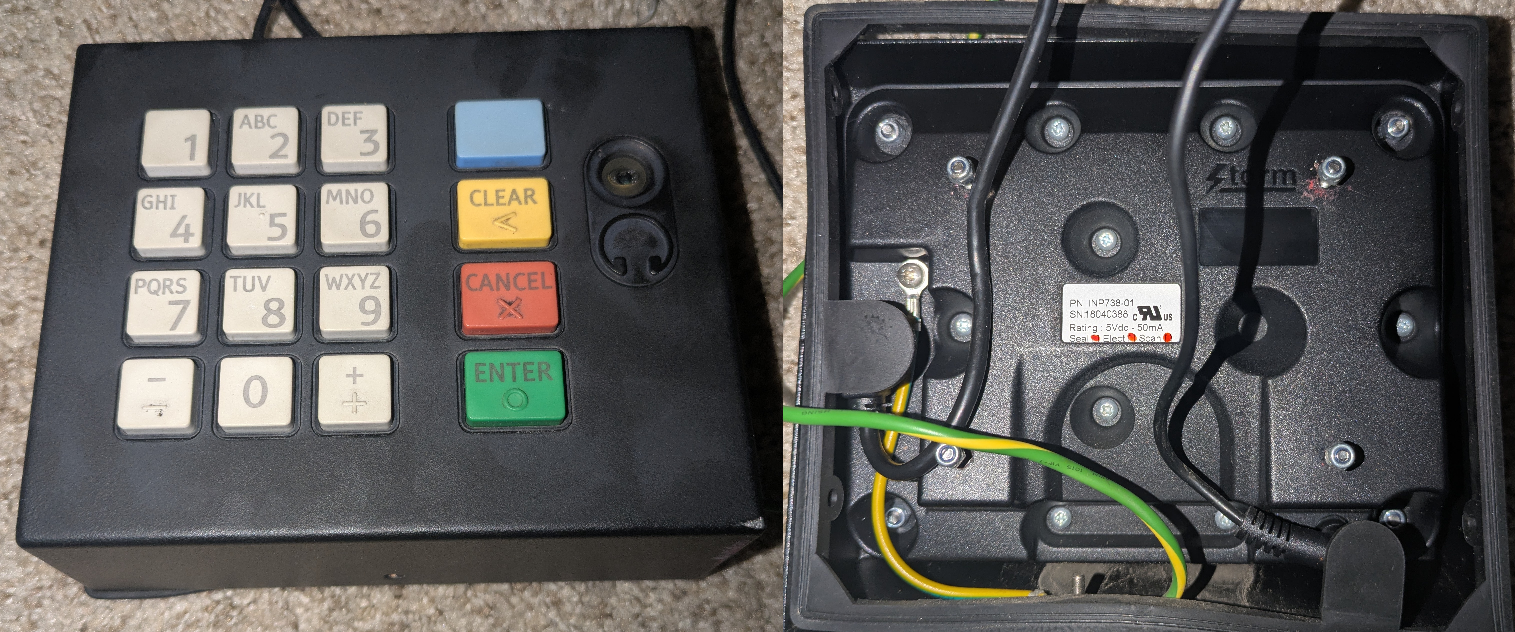
Audio Accessibility Keypad
To install this on a kiosk that didn't contain this keypad, drilling will be required.
{.is-warning}
Some kiosks were equipped with the Accessibility Keypad from Storm Interface while some were not equipped with this keypad. When renting a movie, someone who is wheelchair bound would plug in headphones into the audio jack and it would give instructions on what to press. Keys would correspond just like a phone when inputting an email address. Outside this, it acts as a regular number pad.
Part Number: INP738-01 (Custom built 700 Series for Redbox)
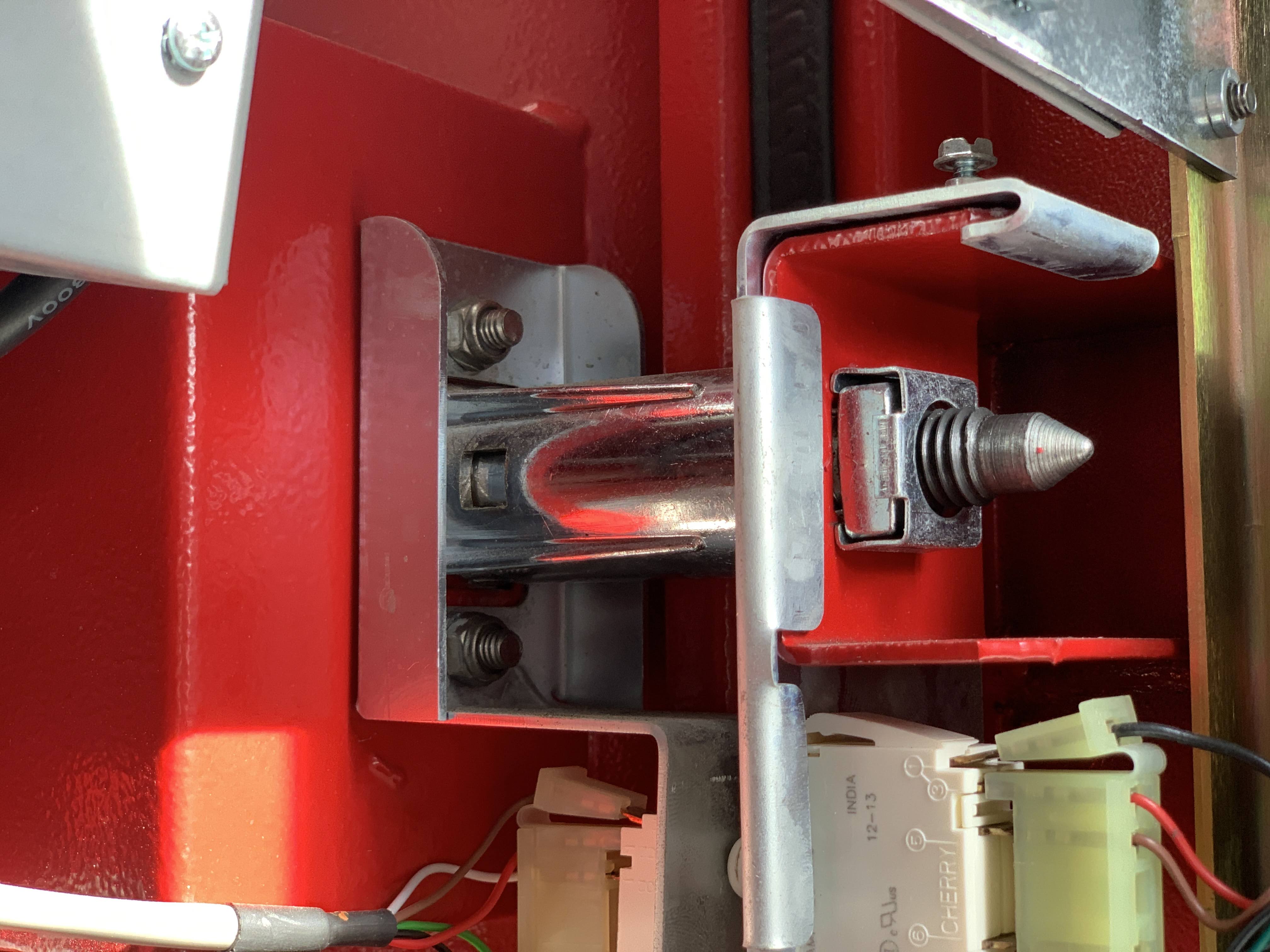
Lock
Decals
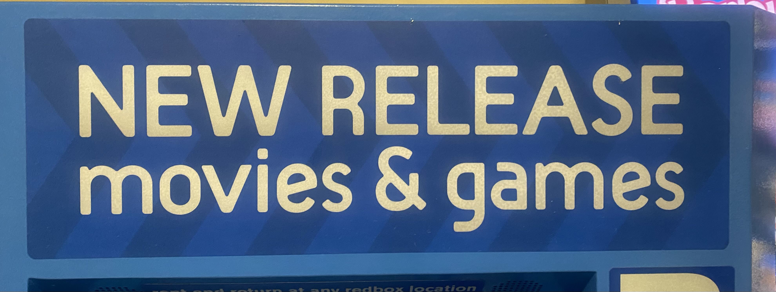
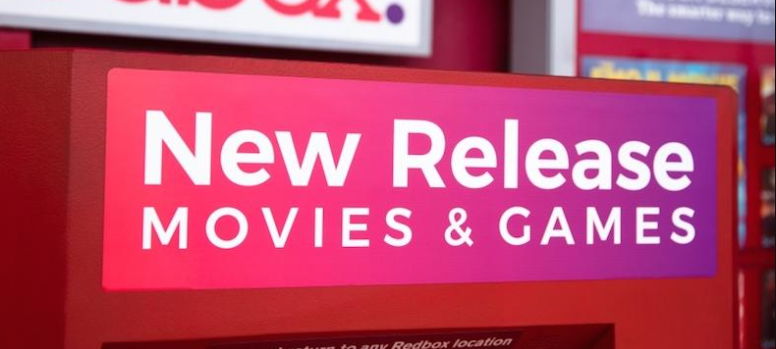
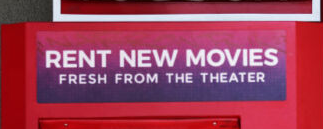
Several different decals were used to populate the area above the touchscreen. Some are more common than others. If more decals are known, please contribute.
NEW RELEASE movies & games
NEW RELEASE movies & games (Blue variant)
New Relase MOVIES & GAMES (New Background)
$1 DVD RENTALS $1
RENT NEW MOVIES FRESH FROM THE THEATRE
NEW MOVIES ARE BACK
Remanufacturing
Some kiosks contain 2 sheets of paper below the touch screen. First page contains the date refurbished and serial number of the kiosk, which would be the remanufactured Serial Number.
Required Operations
This operation would take about 3 hours and 24 minutes to complete
{.is-info}
Clean & Paint touchup
Time: 30 minutes
Check/replace lever feet
Time: 5 minutes
Install New Power Cord
Time: 15 minutes
Apply Loctite 420 to 7th Deck Screws
Time: 3 minutes
Replace Touchscreen Power Supply
Time: 5 minutes
Install Speakers
Time: 5 minutes
Reman vend door assy
Time: 15 minutes
Adjust Vend Door Clutch
Time: 5 minutes
Install Track Bands
Time: 10 minutes
Replace Gripper finger insert
Time: 1 minute 30 seconds
Install Antenna grommet
Time: 5 minutes
Replace Heater
Time: 10 minutes
Inspect for loose hardware
Time: 3 minutes
Replace Credit card reader
Time: 8 minutes
Adjust slot data and perform calibration
Time: 40 minutes
Perform Burnin Test
Time: 6 minutes 30 seconds
Provide new Antenna
Time: 7 minutes
Packaging, labels, decals
Time: 30 minutes
As Needed Operations
This operation is done on an as needed basis. Not all operations are done as they are not required. Time depended on what was needed, so time varies.
{.is-warning}
Replace computer
Time: 12 minutes
Replace UPS
Time: 13 minutes
Replace Camera
Time: 5 minutes
Replace Air Conditioner (required if kiosk has AC)
Time: 25 minutes
Replace Air Exchange Filters
Time: 5 minutes
Air exchanger controller
Time: 15 minutes
Replace Drum Assembly
Time: 3 hours
Replace Encoder (required if Replacing Drum)
Time: 15 minutes
Bolt QLM Door Shut
Time: 30 minutes
QLM remove and install 8th Deck (8th deck, door sensors tote)
Time: 25 minutes
Replace Picker Harness
Time: 45 minutes
Replace Picker Assembly
Time: 45 minutes
Replace Main Cable Harness
Time: 1 hour 15 minutes
Replace X motor and motor pulley
Time: 25 minutes
Replace Y motor, top sprocket, bottom sprocket, bearing
Time: 15 minutes
Replace double decker Arcus
Time: 10 minutes
Replace Aux Board
Time: 15 minutes
Replace Picker Board
Time: 15 minutes
Replace Serial Board
Time: 10 minutes
Replace Vend door Board
Time: 5 minutes
Replace Sensor Board Camera side
Time: 10 minutesz
Replace Sensor Board Non Camera side
Time: 5 minutes
Replace picker motors older than 4 years. Replace older than 6 years if kiosk has been installed for less than 6 months. long shaft, short shaft, pulleys
Time: 45 minutes
Replace vend door motor older than 4 years. Replace older than 6 years if kiosk has been installed for less than 6 months.
Time: 5 minutes
Replace gripper fingers left gripper, right gripper, bushing
Time: 10 minutes
Replace Touchscreen
Time: 15 minutes
Drill and install new antenna
Time: 10 minutes
Mask & Repaint Kiosk
Time: 2 hours, 40 minutes, and 4.08 seconds
Weights
Some items have been weighed, while others are estimates:
Bare kiosk shell and door is ~300 lbs (weighed by kas)
Carousel, containing a central solid steel rod and plastic platters (decks), weighs ~100 lbs
Unloaded kiosk weighs ~600 lbs (weighed by kas)
Loaded kiosk weighs ~800 lbs
AC unit is 56 lbs (weighed by iiPython)
Picker Assembly weighs ~30 lbs
Air exchanger is ~32 lbs (weighed by iiPython)
Screen is 11.6 lbs (weighed by iiPython)
Carousel motor is 8.8 lbs (weighed by iiPython)
Carousel shaft is 17.5 lbs (weighed by iiPython)
Linear rail is 15.5 lbs (weighed by iiPython)
Internal space heater is 1 lb, 15.2 oz (weighed by iiPython)
Shaft collars are 1 lb, 2.1 oz each (weighed by iiPython)
Monitor cooling is 3 lbs, 11 oz (weighed by iiPython)
Carousel top crossbeam is 5 lbs, 1.1 oz (weighed by iiPython)
A single Redbox disk and case weights 2 oz (weighed by kas)
A single empty Redbox case weighs 1.5 oz
A fully loaded kiosk worth of disks (600) would weigh ~90 lbs
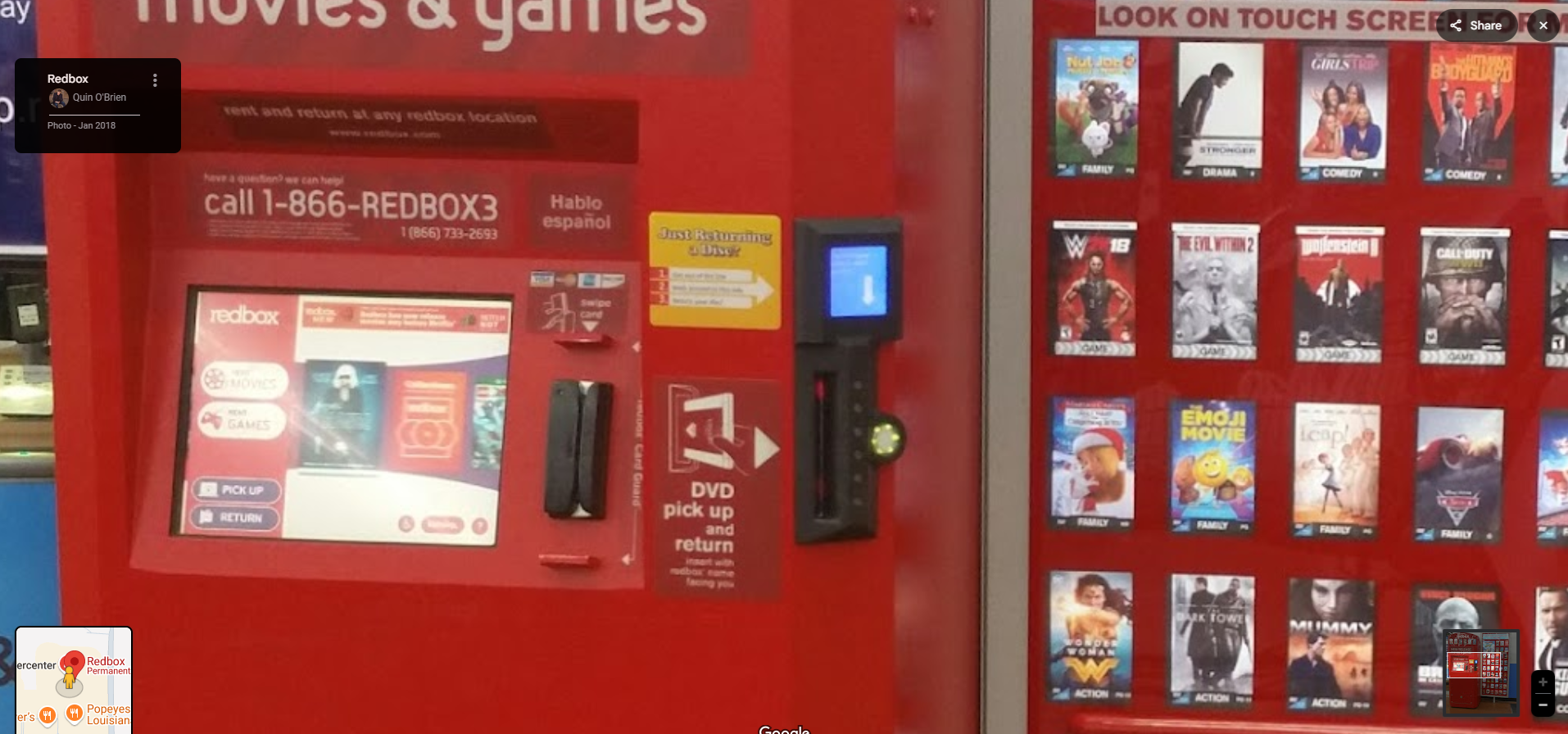
Only available in test markets, a variant of the Disc Dispenser / Return Slot was tested but never widely rolled out. It is not known how many exist.
It was designed that if there was a line of people waiting to rent movies or games at a Redbox, and you only had to return a rental, you would go to the right side of the machine, press the green lit-up button, insert your return, and the small LCD display would tell you if your return was successful.
These photos are from the Walmart in Antioch, IL kiosk from Google Maps. The machine has been removed and probably scrapped. These photos were uploaded to Google Maps by a visitor of the kiosk in January 2018, so it shows an old card reader and old UI.
{.is-info}